
Amazon Fire TV Stick HD Review: Simple, Affordable Streaming for Any HD TV
Introduction
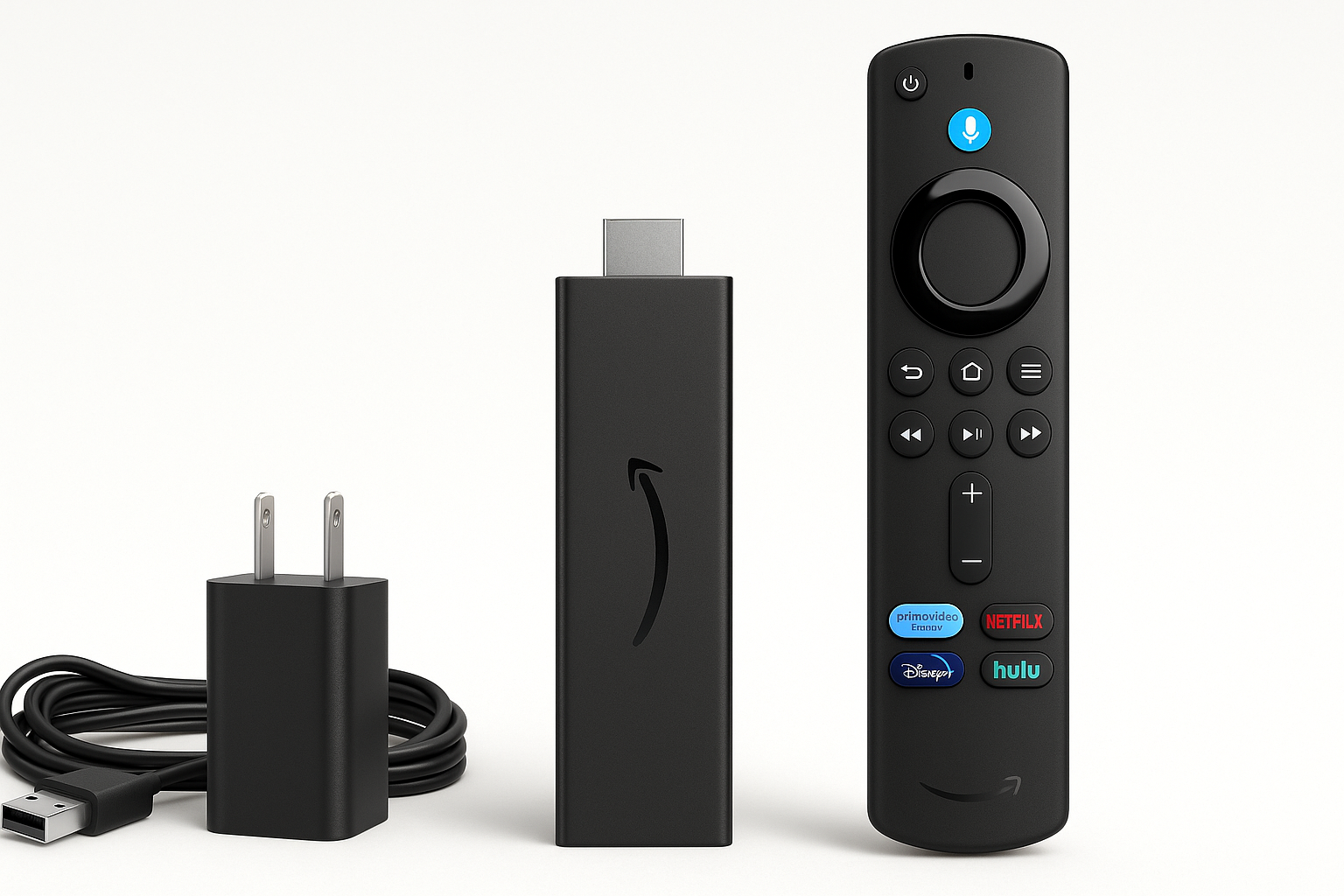
The Amazon Fire TV Stick HD is positioned as an entry-level streaming device for people who primarily watch in 1080p and want an easy way to add smart features to an older or basic TV. It plugs into an HDMI port, draws power over USB, and uses the included Alexa Voice Remote for navigation, search, and basic smart home control.
While Amazon’s lineup now includes more powerful 4K and 4K Max models, the Fire TV Stick HD aims to offer a simpler, more affordable option. It focuses on Full HD streaming, access to popular services, and support for free, ad-supported channels—all without requiring a complex setup or additional hardware.
Setup / Getting Started
Getting started with the Fire TV Stick HD is straightforward and designed for non-technical users:
-
Physical connections
- Plug the Fire TV Stick HD into an HDMI port on your TV.
- Connect the included USB cable to the stick and either to a TV USB port (if it provides enough power) or to the included power adapter and a wall outlet.
- Insert batteries into the Alexa Voice Remote.
-
Initial configuration
- Power on your TV and select the HDMI input for the Fire TV Stick HD.
- Follow the on-screen prompts to pair the remote (usually automatic), select your language, and connect to Wi‑Fi.
- Sign in with or create an Amazon account. This links your purchases, watch history, and apps.
-
Service setup
- Install streaming apps such as Prime Video, Netflix, Disney+, Hulu, YouTube, and others from the Fire TV Appstore.
- Optionally sign into free, ad-supported apps (e.g., Freevee and other live/FAST channels) to access a large catalog of cost-free movies and TV episodes.
- If you use Alexa elsewhere in your home, you can link compatible smart home devices so you can control them directly from the Fire TV interface.
Overall, setup typically takes 10–20 minutes, depending on how many services you log into initially.
Daily Usage
In everyday use, the Fire TV Stick HD is intended to fade into the background and feel like an integrated part of your TV:
- Home Screen & Navigation: The interface centers around content rows from installed apps, recently watched items, and Amazon’s own recommendations. Navigation via the directional pad is simple, and the remote layout is minimal but familiar.
- Voice Control with Alexa: Holding the microphone button lets you search content by title, actor, or genre, launch specific apps, and perform basic tasks like checking the weather. You can also issue commands like “pause,” “rewind 30 seconds,” or “open Prime Video.”
- Free & Live TV: Integration with free and live TV channels makes it easy to browse ad-supported content without additional subscriptions. A dedicated section aggregates live channels from compatible apps so you can flip through them more like traditional TV.
- Smart Home Integration: From the couch, you can use the remote’s voice button to dim compatible smart lights, view supported camera feeds (such as a doorbell camera), or check connected devices—turning the TV into a simple smart home dashboard.
For most users who simply want to watch HD content, the Fire TV Stick HD offers a familiar, low-friction experience day to day.
Performance & Reliability
Performance on the Fire TV Stick HD is tuned for 1080p streaming rather than high-end gaming or heavy multitasking:
- Streaming Quality: The device supports Full HD (1080p) playback on compatible services and TVs. On a typical home network, video loads quickly and maintains stable quality once a stream is established.
- Interface Responsiveness: Menu navigation is generally smooth for standard tasks—browsing rows, opening apps, and searching with Alexa. Compared with higher-end Fire TV models, you may notice longer load times when launching heavier apps or switching rapidly between them.
- Wi‑Fi Performance: The stick relies entirely on wireless networking. In a home with a reasonably strong Wi‑Fi signal near the TV, playback is consistent and buffers are infrequent. In congested or distant locations, performance will depend heavily on your router and network conditions.
- Reliability Over Time: Like most streaming sticks, long sessions can eventually lead to minor slowdowns. A quick restart (or occasional power cycle) typically restores responsiveness. For light to moderate daily use, the hardware is adequate.
If you expect to keep multiple apps open, game via cloud services, or demand the fastest possible navigation, a more powerful 4K-class Fire TV device will be a better fit. For straightforward HD streaming, this stick holds up well.
What Works Well
- Accessible Entry Point: With a cost typically around $19.99, the Fire TV Stick HD is one of the more budget-friendly ways to modernize an older HDTV.
- Compact Design: The small, dongle-style form factor plugs directly into the TV and is largely hidden behind it. This reduces cable clutter and is ideal for wall-mounted displays or secondary TVs.
- Strong App Ecosystem: You get access to nearly all mainstream streaming services plus a large selection of free, ad-supported apps and live TV options, which makes it suitable as your primary streaming platform.
- Alexa Voice Remote: The integrated microphone and Alexa support make it easier to search across apps and control playback, and they extend some of the convenience of a smart speaker to your TV.
- Smart Home Convenience: Being able to check cameras, control lights, or see simple smart home information on the TV screen is a notable plus for users already invested in the Alexa ecosystem.
What Could Be Improved
- Limited to HD: The device is capped at 1080p. If you own or plan to upgrade to a 4K TV, stepping up to a 4K or 4K Max Fire TV model will yield sharper visuals and more headroom for future content.
- Modest Hardware: While adequate for basic use, the internals are not as powerful as Amazon’s higher-tier sticks. App launches and transitions can feel slower, especially as you install more services.
- Storage Constraints: With 8 GB of onboard storage (a portion of which is used by the system), installing many large apps or games at once can fill capacity quickly, requiring more frequent app management.
- Ad and Promotion Density: The home screen includes promotional content and recommendations, some of which prioritize Amazon services. Users looking for a completely neutral, minimal launcher may find this distracting.
- No Ethernet Option Out of the Box: There is no built-in Ethernet port; a separate adapter is required if you prefer wired networking for maximum stability.
Overall Impression
The Amazon Fire TV Stick HD is a sensible choice for users who:
- Have an HD (1080p) television and no immediate plans to upgrade to 4K.
- Want a low-cost, easy way to add modern streaming apps and free live TV to an existing screen.
- Already use Alexa or plan to build a smart home around Amazon’s ecosystem.
It is less compelling if you already own a 4K TV or want the fastest, most future‑proof streaming hardware—those scenarios are better served by Amazon’s more capable 4K devices. However, judged on its own terms as an affordable HD streamer with voice control and smart home integration, the Fire TV Stick HD delivers solid value at around $19.99 and is well-suited for secondary TVs, guest rooms, dorms, or anyone taking their first step into streaming.