
HP DeskJet 2855e Wireless All‑in‑One Printer Review: Basic Home Printing on a Budget
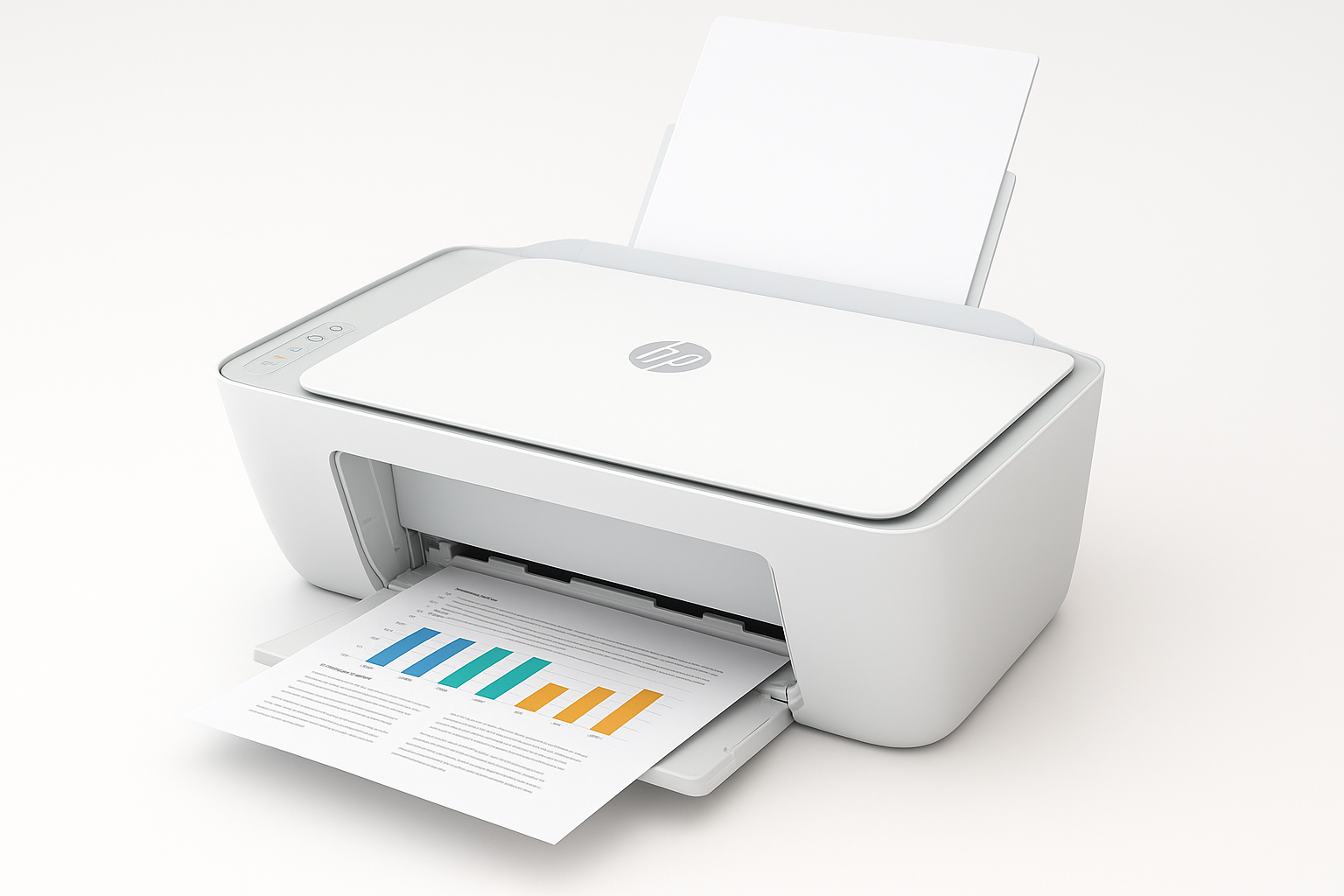
What This Product Is
The HP DeskJet 2855e Wireless All‑in‑One Color Inkjet Printer (588S5A) is a compact, HP+‑enabled inkjet designed primarily for light home use. It combines:
- Color document printing
- Flatbed scanning
- Simple copying
into a single, space‑saving unit. It connects via USB or 2.4 GHz Wi‑Fi and is managed through the HP Smart app on phones, tablets, and PCs.
Key specs and characteristics include:
- All‑in‑one functions: print, scan, copy【0search0】【0search4】
- Print speeds up to around 7–8 ppm in black and 5–6 ppm in color (ISO)【0search0】【0search1】
- Up to 4800 x 1200 optimized dpi for color printing on select paper types【0search0】
- 60‑sheet input tray, ~25‑sheet output capacity【0search8】【0search9】
- 2.4 GHz Wi‑Fi (no 5 GHz support) plus USB 2.0 connection
- HP+ capable, with a 3‑month HP Instant Ink trial included when you activate HP+【0search4】
In most major retailers, the DeskJet 2855e sits in the low‑cost tier of home printers, often around $44.99 depending on promotions.
Why It Matters
For many households, printing needs are modest: the occasional shipping label, school worksheet, boarding pass, or simple color handout. Buying a high‑end office printer often doesn’t make financial sense for that type of usage.
The HP DeskJet 2855e aims squarely at these basic home tasks by offering:
- A small footprint that fits on a shelf or side table
- Wireless printing from phones and laptops through the HP Smart app
- A low upfront cost and a trial of HP’s Instant Ink subscription to help manage ink replenishment
Its value proposition is simplicity and accessibility rather than power or speed. It’s meant to be the “good enough” printer for homes that print a few pages a week, not a workhorse for heavy office workloads.
Key Advantages
1. Compact, Simple All‑in‑One Design
The DeskJet 2855e is physically small and lightweight, making it easy to place in tight spaces or move around if needed. Despite its size, you get printing, scanning, and copying in one unit, which is ideal for:
- Scanning IDs, receipts, and signed forms
- Copying documents without needing a PC
- Handling occasional admin tasks from home
2. Wireless Printing and HP Smart App Integration
The printer supports 2.4 GHz Wi‑Fi and works with the HP Smart app, which is a major convenience factor for home users:
- Print from smartphones and tablets (iOS/Android)
- Scan using the printer’s flatbed or your phone’s camera
- Manage ink levels and troubleshoot basic errors remotely【0search1】【0search8】
For households that rely mostly on mobile devices, this app‑centric workflow is often more important than traditional driver‑based printing from a desktop.
3. HP+ and Instant Ink Trial
The DeskJet 2855e is an HP+‑enabled printer. If you choose to activate HP+ during setup, you get:
- Extended cloud‑connected features in the HP Smart app
- A 3‑month trial of HP Instant Ink, where HP ships ink based on usage rather than page count alone【0search4】【0search7】
For very light or very predictable usage, Instant Ink can be cost‑effective and removes the hassle of manually ordering cartridges, especially if you’re prone to running out unexpectedly.
4. Decent Quality for Everyday Color Documents
With up to 4800 x 1200 optimized dpi on color prints and 1200 x 1200 dpi for black text, output quality is appropriate for:
- School assignments and reports
- Simple color charts and infographics
- Basic photo prints on plain or coated inkjet paper (not professional‑grade, but acceptable for casual use)【0search0】【0search4】
Text is serviceable for everyday reading, and color graphics are bright enough for home and school documents.
5. Low Initial Purchase Cost
While long‑term ink expenses may be higher than with some competitors, the upfront price around $44.99 makes the DeskJet 2855e accessible to buyers who need an immediate, low‑cost solution and are printing only occasionally.
Key Limitations
1. Limited Print Speed and Duty Cycle
With rated speeds of roughly 7–8 ppm in black and 5–6 ppm in color, this is a slow printer by office standards. It’s fine for:
- A couple of pages at a time
- The occasional small homework packet
But it will feel sluggish if you frequently print:
- Long multi‑page reports
- Large batches of handouts
The overall recommended monthly duty cycle is also modest (typical for this class), meaning it’s not designed for heavy or frequent printing.
2. 2.4 GHz Wi‑Fi Only
The printer supports only 2.4 GHz Wi‑Fi, not 5 GHz. In many homes this is not a problem—most routers broadcast both—but it can lead to:
- Setup confusion if your devices default to a 5 GHz network
- Potential congestion if many devices share the same 2.4 GHz band
You can still use USB to connect to a PC, but if your home network environment is 5 GHz‑centric, you’ll want to verify that a 2.4 GHz SSID is available.
3. HP+ and Ink Lock‑In (If Activated)
Choosing HP+ during setup has trade‑offs:
- You must maintain an HP account, keep the printer online, and agree to use only original HP ink for the life of the device【0search4】【0search11】
- This effectively locks you out of third‑party cartridges or refills while HP+ is active
If you plan to reduce operating costs with third‑party ink, you should avoid enabling HP+ at setup and instead use the printer in standard mode with regular HP 67/67XL cartridges.
4. Basic Paper Handling and No Automatic Duplexing
The 60‑sheet input and 25‑sheet output capacities are modest. There’s:
- No automatic duplex (two‑sided) printing; you must manually flip pages
- No automatic document feeder (ADF) for scanning/copying stacks of pages
For single‑page documents and short jobs this is minor, but it becomes tedious if you frequently handle multi‑page scans or double‑sided prints.
5. Ink Costs for Non‑Instant‑Ink Users
Like most budget inkjets, replacement cartridges can be relatively expensive compared to the purchase price of the printer. If you:
- Print sporadically and let cartridges dry out, or
- Print moderate color volumes without Instant Ink
your cost per page may be high over time. The DeskJet 2855e makes the most sense for light users who print just enough to use the cartridges before they age out but not so much that ink costs balloon.
Who It’s For
The HP DeskJet 2855e is a solid fit if you:
- Print only occasionally (a few pages per week or less)
- Need an all‑in‑one for the home that can scan/copy as well as print
- Prefer a small, low‑cost printer that doesn’t dominate your workspace
- Want simple wireless printing from phones and laptops via HP Smart
- Are comfortable either trying Instant Ink during the trial or buying genuine HP cartridges
Typical ideal users include:
- Students in dorms or shared housing who need homework and project printing
- Families who occasionally print forms, school work, and shipping labels
- Home users who scan documents for digital storage but don’t need high volume
Who Should Skip It
You should likely look for a different printer if you:
- Print frequently or in high volume—you’ll want faster speeds, higher duty cycles, and more robust paper handling
- Need automatic duplex printing or an automatic document feeder for scanning/copying
- Require reliable 5 GHz Wi‑Fi support only, with no 2.4 GHz network available
- Want to rely on third‑party ink to minimize operating costs while still using HP+
- Need business‑grade photo quality or color accuracy for client work or portfolio prints
In those cases, a mid‑range office‑class inkjet or a color laser with better throughput and lower cost per page will be more appropriate, even at a higher purchase price.
Final Recommendation
The HP DeskJet 2855e Wireless All‑in‑One Color Inkjet Printer (588S5A) is best viewed as a basic, budget‑friendly home utility printer. It excels at:
- Handling everyday low‑volume tasks
- Fitting into tight spaces
- Offering straightforward mobile and wireless printing
Its main compromises—slower speed, 2.4 GHz‑only Wi‑Fi, modest paper handling, and potentially high ink costs without Instant Ink—are typical of its price class and won’t bother users with minimal printing needs.
If your household prints just enough to justify owning a printer but not enough to warrant a more expensive, feature‑rich model, the DeskJet 2855e at around $44.99 is a reasonable, no‑frills choice. However, if you anticipate frequent or demanding use, investing in a more robust all‑in‑one printer will pay off in speed, convenience, and long‑term running costs.