
HP DeskJet 2855e Wireless All‑in‑One: Compact Home Printer with Instant Ink Trial
Product Summary
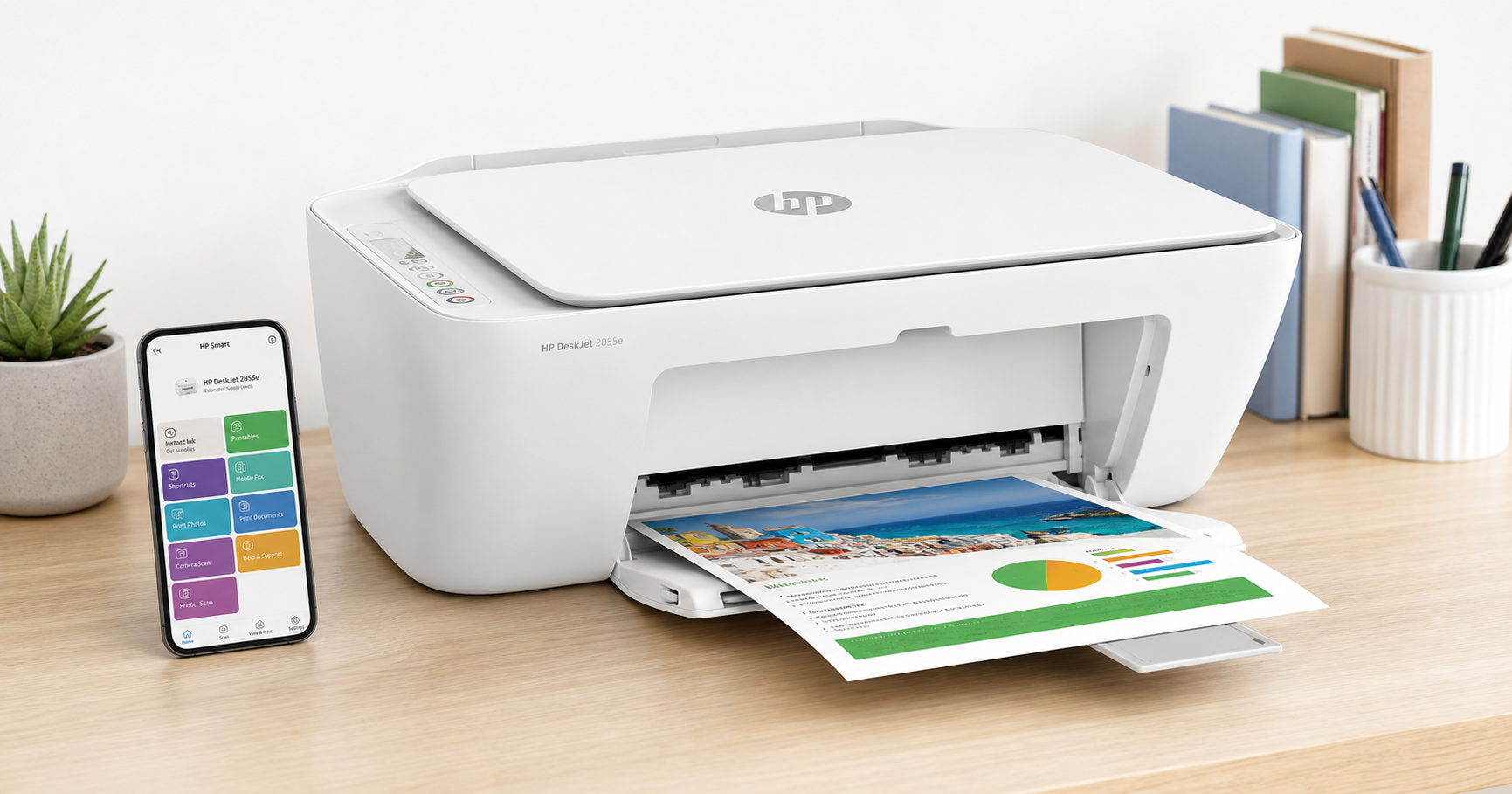
The HP DeskJet 2855e Wireless All-in-One Color Inkjet Printer (588S5A) is a compact, budget-focused home printer that offers color printing, flatbed scanning, and copying in a single unit. It’s designed primarily for light home workloads such as school assignments, boarding passes, quick photos on plain paper, and basic household documents.
Key capabilities include wireless printing over 2.4 GHz Wi‑Fi, USB 2.0 connectivity to a computer, and tight integration with the HP Smart app for mobile printing, scanning, and setup. The printer is HP+ enabled, which means it comes with a 3‑month HP Instant Ink trial when you opt in during setup.
On performance, the DeskJet 2855e delivers up to around 7–8 pages per minute (ppm) in black and 5–6 ppm in color, which is typical for an entry-level inkjet in this class. It’s best suited for low-volume use rather than heavy-duty office printing.
If you’re shopping on a tight budget, the 2855e is often positioned in the lower price tier of all‑in‑one printers, typically around $49.99, making it appealing as a starter printer for many households.
Target Users
This printer is aimed at:
-
Home users with light printing needs
Ideal for households that print a few pages a week—recipes, shipping labels, forms, and occasional color documents. -
Students and families
Works well for homework assignments, simple reports, and school projects that don’t require heavy photo printing or very high volume. -
Casual photo and document printers
Fine for occasional color prints on plain paper or basic photo paper, but not optimized for large runs of high-end photo output. -
Users who want app-based simplicity
Those who prefer using the HP Smart app on a phone or tablet to handle setup, scanning to PDF, and quick cloud/remote printing.
It is not a great fit for:
- Small businesses or home offices that print frequently or in high volume
- Users needing fast print speeds and duplex (two-sided) printing
- Environments that rely on 5 GHz Wi‑Fi networks only, or advanced networking features
Main Benefits
1. Compact, space-saving design
The DeskJet 2855e has a small footprint and relatively light weight, making it easy to place on a shelf, desk corner, or dorm room table. It’s a good choice when you need an all‑in‑one but don’t want a bulky device dominating your workspace.
2. All‑in‑one functionality (print, scan, copy)
You get color printing, a flatbed scanner, and basic copying in one unit. The flatbed is useful for digitizing documents, IDs, and small batches of pages; copying is straightforward via simple control-panel buttons.
3. Wireless and mobile printing
The printer supports 2.4 GHz Wi‑Fi networking and works with the HP Smart app on smartphones, tablets, and computers. From the app, you can:
- Print photos and documents from your mobile device
- Scan using the printer’s flatbed or your phone camera
- Manage settings and monitor ink levels
For users who prefer a more traditional setup, there is also USB 2.0 connectivity for direct connection to a PC or laptop.
4. HP Instant Ink trial included
The model includes a 3‑month HP Instant Ink trial (subject to HP+ activation and regional availability). If you opt in, HP monitors your ink levels and ships cartridges when you’re running low, based on the page plan you choose. This can simplify ink management for consistent light to moderate use.
5. Simple everyday printing
Print quality is adequate for standard text documents, casual graphics, and simple color prints. While it doesn’t target professional-grade photo output, it is well suited to everyday home and school tasks.
Key Considerations
Before choosing the HP DeskJet 2855e, keep these points in mind:
1. 2.4 GHz Wi‑Fi only
This printer is limited to 2.4 GHz Wi‑Fi. Many modern routers offer both 2.4 GHz and 5 GHz bands; ensure that 2.4 GHz is enabled, and that you can connect devices on that band. If your environment is 5 GHz–only, you’ll need to either enable 2.4 GHz or rely on USB.
2. Designed for low volume
With relatively modest print speeds and a small input tray capacity (around 60 sheets) and output tray of about 25 sheets, the 2855e is best for occasional rather than heavy printing. If you routinely print long documents or multiple large jobs each week, a higher‑capacity inkjet or a small laser printer may be more efficient.
3. No automatic duplex printing
The DeskJet 2855e does not support automatic double‑sided (duplex) printing. To print on both sides, you’ll need to manually flip pages. This is fine for occasional use but can be inconvenient for multi-page reports.
4. Ink cost and HP+ ecosystem
Like most entry‑level inkjets, ongoing ink cost per page can add up, especially if you print a lot of color. The included Instant Ink trial can help in the short term, but you’ll want to weigh:
- Whether you’re comfortable with HP+ features and cloud-based management
- If Instant Ink’s subscription model suits your monthly page volume
- The cost of standard HP ink cartridges if you prefer to buy as needed
5. Basic build and feature set
As a budget model, the 2855e uses simple plastics and has a minimal control panel. You don’t get conveniences like a document feeder, touch screen, or advanced office features. It’s built for simplicity and low cost rather than premium feel.
Pros
- Affordable entry price – Often available around $49.99, making it accessible for students and households that need a basic all‑in‑one.
- Compact footprint – Fits easily in small spaces such as dorms, bedroom desks, or small home offices.
- Print, scan, and copy in color – Covers the essential functions most home users require.
- Wireless printing and HP Smart app support – Convenient setup and control from smartphones, tablets, and PCs.
- 3‑month HP Instant Ink trial included – Can reduce upfront ink costs and automate refills during the trial period.
- Energy-efficient – Meets current efficiency standards for low power consumption in sleep and off modes.
Cons
- 2.4 GHz Wi‑Fi only – No support for 5 GHz networks, which can complicate setup in some modern Wi‑Fi environments.
- Best for low-volume printing – Modest print speeds and small paper capacity make it less suitable for frequent, high-volume work.
- No automatic duplex printing – Manual two‑sided printing only, adding time and effort for longer documents.
- Ink costs can add up – Like many budget inkjets, total cost of ownership can climb with frequent color printing.
- Basic controls and features – No automatic document feeder, no touch screen, and limited onboard controls.
Alternatives
If you’re considering the HP DeskJet 2855e, it’s worth thinking about nearby options in HP’s own line and similar categories. While this review is focused on the 2855e, alternative types of printers to consider include:
-
Other HP DeskJet or ENVY models
Some closely related HP models share a similar engine but may add features like slightly faster speeds or different styling. If you frequently print photos or want marginally higher capacity, checking comparable models in the same family may be worthwhile. -
Low-cost monochrome laser printers
If you mostly print text documents and don’t need color, a small black‑and‑white laser printer can offer much lower cost per page and faster speeds, at the expense of scanning/copying or color output. Some models add a scanner for all‑in‑one capability. -
Mid-range all‑in‑one inkjets
Stepping up in price to a mid‑range inkjet all‑in‑one can get you features like automatic duplexing, larger trays, higher duty cycles, and sometimes lower ink cost per page. This may be the better route if you anticipate growing printing needs.
When comparing, focus on your expected monthly page volume, need for color vs. monochrome, and whether automatic duplex printing is important to you.
Conclusion
The HP DeskJet 2855e Wireless All-in-One Color Inkjet Printer (588S5A) is a straightforward, budget-oriented device designed for households and students who need basic color printing, scanning, and copying in a compact form factor. Its 2.4 GHz wireless connectivity, HP Smart app integration, and included 3‑month HP Instant Ink trial make it convenient and approachable for users who value simplicity over advanced features.
It is best suited for light, occasional printing—a few pages here and there—rather than heavy home office use. If you understand its limitations (no automatic duplex, modest speeds, and typical inkjet running costs) and your needs align with its strengths, the DeskJet 2855e is a reasonable, low‑barrier entry into home printing at a price point around $49.99.
For buyers who expect to print more frequently or demand higher productivity features, it may be worth exploring more robust inkjet or laser alternatives. But as a compact, affordable, all‑in‑one for everyday home tasks, the HP DeskJet 2855e fulfills its role effectively.