
HP 67 Black/Tri-Color Ink Cartridges (2-Pack) Review: Reliable Everyday Ink for HP DeskJet and Envy Printers
Quick Summary
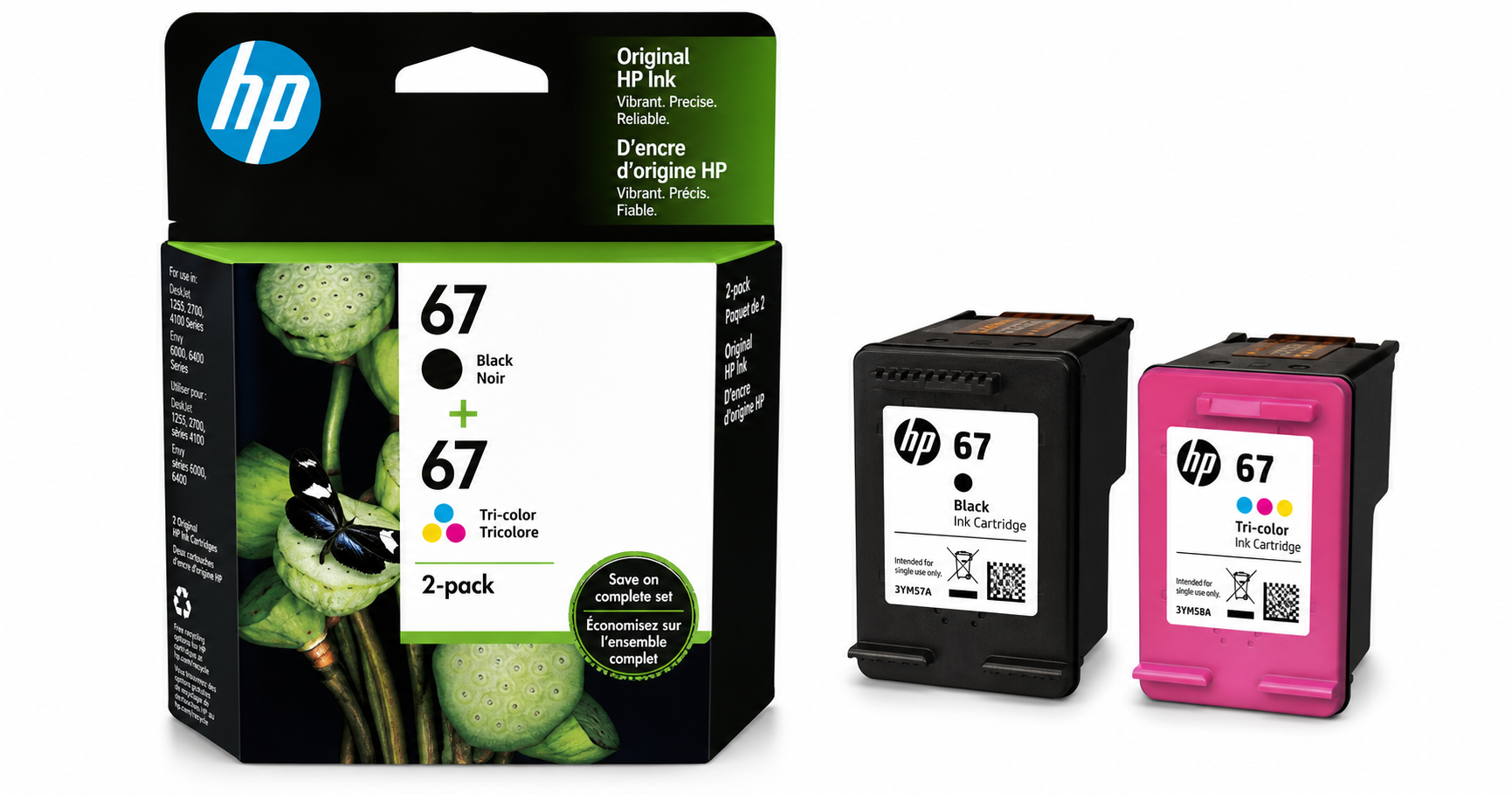
The HP 67 Black/Tri-Color Ink Cartridges (2-Pack) | 3YP29AN bundle is an original HP consumable designed for a range of home and small-office inkjet printers, including HP DeskJet 1255, 2700, 4100 series and HP Envy 6000/6400 series. Each pack includes one standard-yield black cartridge and one standard-yield tri-color cartridge (cyan, magenta, yellow) in a single-color tank.
For typical home use—school assignments, web pages, basic color graphics, and occasional photos—the HP 67 2-pack delivers consistent print quality, straightforward installation, and compatibility with HP Instant Ink. However, its standard capacities mean frequent users or high-volume households may find themselves replacing cartridges relatively often, and the overall running cost can add up compared with XL or third‑party options.
If you buy it directly on Amazon at around $43.89, you’re paying for reliability, seamless compatibility, and HP-backed support more than for rock-bottom cost per page.
Detailed Analysis
Compatibility and Use Cases
This 2-pack is tailored to a specific set of HP printers, notably:
- HP DeskJet: 1255, 2700 series, 4100 series
- HP Envy: 6000 series, 6400 series
These devices are common in home environments, dorm rooms, and very small offices. The HP 67 cartridge family is aimed squarely at low to moderate print volumes, where ease of use and print quality matter more than ultra-low running costs.
Cartridge Type and Technology
- Black cartridge: Pigment-based ink, optimized for crisp text and improved resistance to smudging and highlighter use on plain paper.
- Tri-color cartridge: Dye-based cyan, magenta, and yellow in a single tank, better for vibrant colors and basic photo printing.
This pigment/dye split is typical for modern HP consumer printers and provides good readability for documents while keeping colors vivid for images and graphics.
Page Yield
Based on HP’s own testing:
- Black HP 67: Approximately 120 pages per cartridge
- Tri-color HP 67: Approximately 100 pages per cartridge
These yields are measured under standardized ISO/IEC conditions with mixed text and graphics, so real-world results vary depending on what you print. Heavy graphics or photo-heavy content will reduce the effective yield of the color cartridge.
The yields classify these as standard-capacity cartridges—suitable if you print occasionally but not ideal for high-volume users. Families printing homework a few times a week or light home-office usage should be fine; frequent multi-page documents or color-heavy coursework will drain the cartridges faster.
Print Quality
In everyday use, the HP 67 combo performs well for its category:
- Text documents: Black ink produces relatively sharp, legible text on standard office paper. It’s well-suited for school reports, invoices, forms, and general correspondence.
- Color documents: Tri-color ink offers good saturation and acceptable detail for charts, diagrams, flyers, and simple marketing materials.
- Photos: On HP photo paper, you can expect respectable casual photo output. While it will not match a dedicated photo printer or higher-end multi-cartridge systems, it’s adequate for fridge photos and small album prints.
Because these are original HP cartridges, color accuracy and consistency are closely aligned with HP’s printer drivers and profiles. That’s an advantage over some third-party inks that may show shifts in color balance or banding on certain media.
Reliability and Maintenance
One of the key selling points of OEM ink is reliability:
- Cartridges are designed to work with HP’s printheads and firmware.
- Fewer issues with recognition errors, clogged nozzles, or inconsistent ink flow compared with many low-cost remanufactured options.
- HP’s warranty coverage applies if a defect in the cartridge affects print quality or causes issues in normal use.
For casual users who might go weeks between print jobs, pigment black can be somewhat more susceptible to drying at the nozzles than dye ink, but the integrated-cartridge design means that if a cartridge does clog beyond cleaning, replacing it also replaces the printhead portion.
Packaging and Sustainability
HP emphasizes that packaging is 100% recyclable through HP’s recycling programs in many regions, and the cartridges themselves typically contain a percentage of recycled material. You can return spent cartridges via HP Planet Partners (where available), which is a plus if environmental considerations matter in your purchasing decisions.
User Experience
Installation and Setup
Installing the HP 67 cartridges is straightforward:
- Power on the printer and open the ink cartridge access door.
- Wait for the carriage to stop moving.
- Remove the old cartridges, then unpack the new ones.
- Carefully peel off the protective tape from the copper contacts and nozzles.
- Insert the black cartridge into the black slot and the tri-color into the color slot until you hear or feel a click.
- Close the access door and follow on-screen or HP Smart app prompts to align the cartridges if requested.
Most users will find alignment automatic or app-guided, requiring only a simple test page.
Everyday Operation
Once installed, the HP 67 cartridges integrate seamlessly into the HP Smart ecosystem:
- The HP Smart app can show ink levels, troubleshoot issues, and guide you through maintenance routines like printhead cleaning.
- Compatible printers may alert you to low ink levels before cartridges are empty, giving time to order replacements.
Noise levels and print speeds are tied to the printer model rather than the ink, but the ink formulation supports typical home use speeds (multi-page black text jobs and single-page color documents without excessive delays).
HP Instant Ink Eligibility
These cartridges are Instant Ink eligible, meaning compatible printers can participate in HP’s subscription service where the printer reports usage and HP mails replacement ink before you run out. For some users, Instant Ink can reduce per-page costs and eliminate the need to manually track cartridge levels. For others with very sporadic printing, a subscription might not be necessary.
Pros
- Strong compatibility with popular HP DeskJet 1255, 2700, 4100 series and Envy 6000/6400 printers.
- Original HP ink designed specifically for these devices, minimizing risk of errors and print-quality issues.
- Balanced ink technology: pigment black for crisp text; dye-based tri-color for vivid images.
- Simple installation and easy replacement; the printer and HP Smart app provide guided steps.
- Instant Ink eligible, offering an alternative cost structure and automated replacements for compatible users.
- Decent everyday print quality for documents and casual photos on the right media.
- Recyclable packaging and established return programs for used cartridges in many regions.
Cons
- Limited standard page yields (~120 pages black, ~100 pages tri-color) mean frequent replacements for moderate or high-volume users.
- Cost per page is relatively high compared with XL variants or certain third-party cartridges.
- Single tri-color design: if one color runs out (e.g., cyan), you must replace the entire color cartridge.
- Users who print infrequently may still encounter dried or partially clogged nozzles, a common trade-off for home inkjet systems.
- Being OEM HP, firmware updates may restrict non-HP alternatives on some printers, limiting flexibility if you mix brands.
Value Assessment
When evaluating value, you need to balance reliability and quality against ongoing ink costs.
- For light home users (a few pages per week, mostly text with occasional color), this 2-pack offers a convenient, low-maintenance solution. You get single-purchase simplicity (both black and color in one package) and predictable quality.
- For students and families printing homework, worksheets, and simple graphics, the combination of crisp text and adequate color output is appropriate, provided you monitor usage.
- For home offices that print more frequently, the standard yields can become limiting. In that case, HP 67XL high-yield versions or an Instant Ink plan could provide better long-term economics.
At a typical Amazon price of around $43.89, the HP 67 Black/Tri-Color (2-pack) sits in the middle of the consumer ink market: not the cheapest way to print, but competitive for original-brand ink where convenience and expected performance carry real value.
Final Thoughts
The HP 67 Black/Tri-Color Ink Cartridges (2-Pack) | 3YP29AN are a solid, no-surprise choice for owners of compatible HP DeskJet and Envy printers who prioritize dependable operation and straightforward setup over the absolute lowest cost per page.
If you:
- Print modest volumes each month,
- Want to avoid compatibility headaches from some third-party cartridges,
- Rely on HP’s ecosystem and Instant Ink readiness,
then this 2-pack is an appropriate, sensible purchase.
Heavy printers or cost-sensitive users should still consider XL versions or carefully selected alternatives, but for mainstream home use, the HP 67 Black/Tri-Color 2-pack remains a reliable standard choice, especially when purchased conveniently from Amazon at approximately $43.89.