
HP 63 Black Ink Cartridge (F6U62AN) Review: Reliable Everyday Printing for Popular HP Deskjets, Envys, and OfficeJets
Introduction
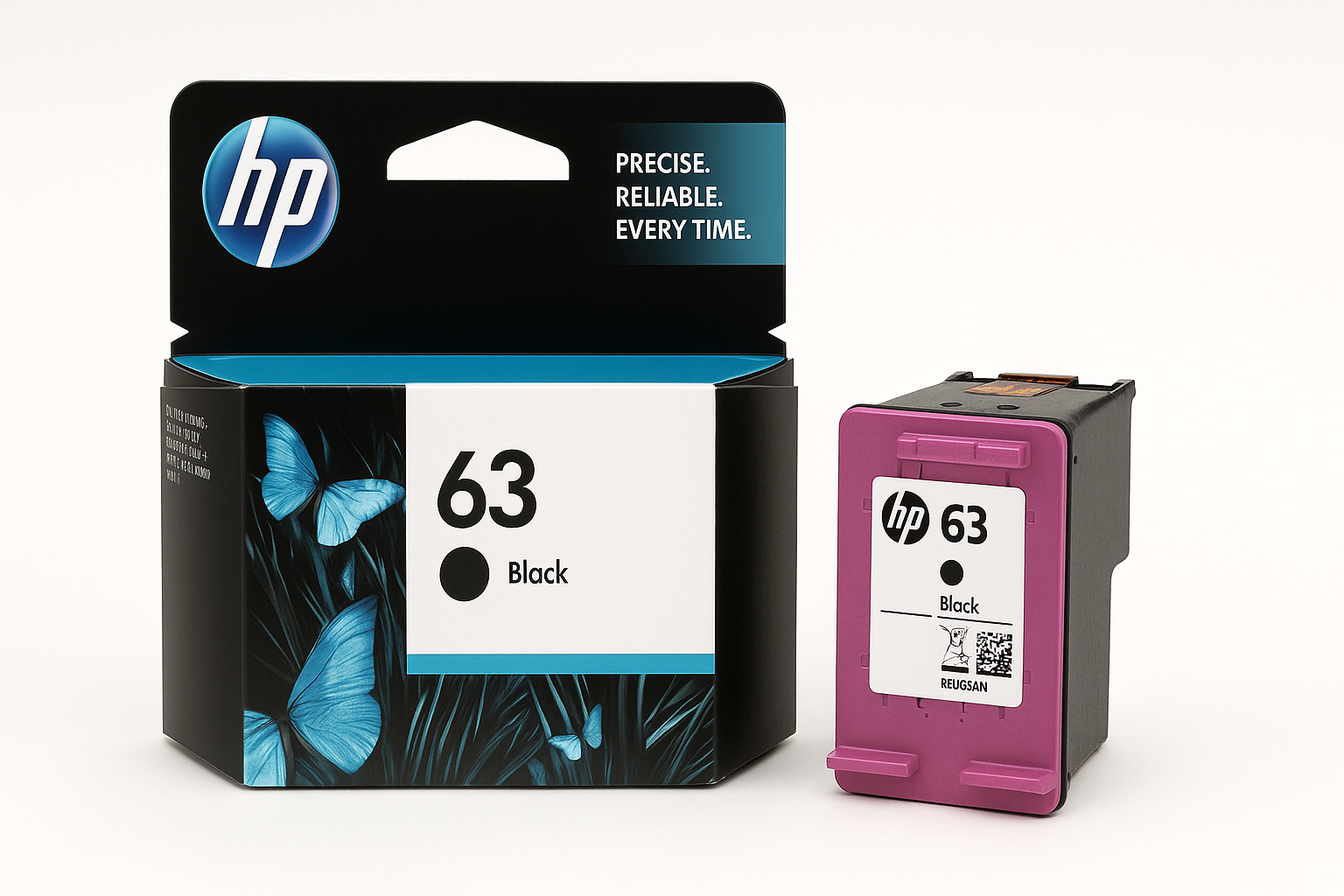
The HP 63 Black Ink Cartridge (model F6U62AN) is a standard-yield, original HP cartridge built for popular entry-level and midrange inkjet models, including the DeskJet 1112, 2130 and 3630 series; Envy 4510 and 4520 series; and OfficeJet 3830, 4650, and 5200 series. Designed primarily for everyday text and simple graphics, it uses pigment-based black ink for sharper, more durable output on plain paper.
HP positions this cartridge as the default choice for light home or small-office users who want predictable compatibility and minimal troubleshooting. It’s also eligible for HP’s Instant Ink subscription service, which can change how you think about cost if you print frequently or in bursts.
If you’re considering whether to stick with original HP consumables or look at high-yield or third-party options, this review walks through real-world usage, performance, and trade-offs.
Setup / Getting Started
Installing the HP 63 Black Ink Cartridge is straightforward and should take only a few minutes, even for non-technical users.
-
Unboxing and preparation
The cartridge ships in compact, mostly recyclable packaging. Inside, you’ll find the sealed cartridge with an orange protective clip and tape over the printhead contacts. -
Installation process
- Power on your compatible HP printer (such as a DeskJet 2130, Envy 4520, or OfficeJet 3830).
- Open the ink access door; the carriage will move to the service position.
- Remove the old cartridge by pressing it inward and lifting it out.
- Take the new HP 63 out of its bag, remove the orange clip, and peel away the protective tape from the copper contacts and nozzles.
- Insert the cartridge into the black slot at a slight upward angle and press until it clicks.
-
Alignment and calibration
Most HP printers will prompt you to align cartridges after installation. Running the alignment routine ensures sharp text and accurate nozzle performance. For best results:- Use plain white paper for the alignment page.
- Let the printer scan or read the alignment pattern if it prompts you to place the page on the scanner bed.
Once aligned, the printer is ready for regular use. No additional software or driver changes are needed if you were already using HP ink.
Daily Usage
In everyday scenarios—printing emails, web pages, school assignments, shipping labels, and forms—the HP 63 Black performs reliably and predictably.
- Text quality: Text is generally crisp and dark on standard office paper, suitable for professional-looking documents and legible small fonts. Pigment-based ink helps reduce feathering on inexpensive paper.
- Graphics and simple charts: For simple line graphs, bar charts, and grayscale images, the cartridge produces consistent tones with adequate detail. It’s not meant for photo-grade black-and-white prints, but it handles clip art and basic diagrams well.
- Dry time and smudge resistance: On typical copy paper, prints dry quickly and resist smudging under normal handling once dry, which is essential for documents that go into folders, envelopes, or classrooms.
- Casual color pairing: Many users pair this cartridge with the HP 63 Tri-color cartridge; when used together, black text plus occasional color graphics are well within the capabilities of the supported printers.
In short, for light to moderate, document-centric printing, the daily experience is largely “install and forget” as long as you keep an eye on ink levels.
Performance & Reliability
Print quality
For its class, the HP 63 delivers consistently sharp black output. Fine text down to around 8 pt remains clearly readable on decent-quality paper, and bold headings print dense and uniform. For home offices and school work, this level of quality is more than sufficient.
Page yield expectations
HP rates the HP 63 Black at a standard-yield output (typically around the low hundreds of pages per cartridge under ISO/IEC test conditions). In real use, page yield will vary with:
- Coverage (e.g., dense reports vs. simple one-page letters)
- Print mode (Draft vs. Normal vs. Best)
- Frequency of use and cleaning cycles
Users who mostly print short, text-heavy documents at “Normal” quality usually find the cartridge suitable for light-to-moderate workloads, such as a few dozen pages per month. However, if you routinely print longer reports, manuscripts, or high-volume school work, you may find you go through standard HP 63 cartridges relatively quickly compared to high-yield (XL) alternatives.
Reliability and consistency
Compared with many third-party or remanufactured cartridges, OEM HP 63 units typically offer:
- Stronger compatibility: Fewer recognition errors or “cartridge problem” messages.
- Lower risk of clogs: The pigment ink and integrated printhead are tuned for HP’s own printers and firmware.
- Consistent performance across units: Page yield and print quality are more predictable from cartridge to cartridge.
For users who value minimum downtime and don’t want to troubleshoot print quality or detection issues, these reliability advantages are a key reason to choose the original F6U62AN cartridge.
Instant Ink compatibility
The HP 63 Black cartridge is compatible with HP’s Instant Ink subscription program in supported printers. If you enroll, the printer can automatically signal HP when ink is low, and replacement cartridges are shipped as part of your plan. This changes the cost profile:
- For low-volume users, buying cartridges like this HP 63 individually may make more sense.
- For higher-volume or burst users, an Instant Ink plan—with a cost similar to around $28.89 per month for certain tiers—can be more predictable than purchasing multiple standalone cartridges over the same period.
What Works Well
-
Dependable, sharp text for everyday documents
The pigment-based black ink delivers clean, legible text on plain paper, well-suited to homework, letters, and small office prints. -
Broad compatibility with popular HP printers
Support for DeskJet 1112, 2130, 3630 series; Envy 4510/4520; and OfficeJet 3830, 4650, and 5200 series means households with multiple compatible devices can standardize on a single black cartridge type. -
Simple, foolproof installation
The keyed design, clear labeling, and built-in alignment routines make installation intuitive, even for users who rarely interact with their printer. -
OEM reliability
Using an original HP cartridge minimizes the chances of firmware conflicts, detection errors, or premature failures. This is especially important for users who rely on their printer for time-sensitive documents. -
Smudge-resistant output
Once dry, prints hold up well to everyday handling, filing, and mailing, which is important for forms, signatures, and documents that may be stored long-term.
What Could Be Improved
-
Page yield for moderate-to-heavy users
While the HP 63’s standard yield is acceptable for occasional printing, users who print frequently may find themselves replacing cartridges often. For those workloads, the HP 63XL high-yield variant typically offers a better cost-per-page. -
Cost efficiency without Instant Ink
When purchased as a standalone cartridge, the cost-per-page for the standard HP 63 can feel high compared with XL or third-party options. Without a subscription model or bulk discount, users focused on long-term cost may need to run the numbers carefully. -
Environmental impact and waste
HP does offer recycling programs, but physically small standard-yield cartridges can mean more frequent replacements and more packaging waste than high-yield alternatives. Users concerned about sustainability might prefer XL cartridges to reduce overall cartridge turnover. -
Firmware sensitivity to third-party inks
While this is a broader platform issue rather than a flaw of the HP 63 itself, printers that rely on this cartridge family are sometimes less forgiving with non-HP supplies. This effectively nudges users toward OEM cartridges, which may limit flexibility for budget-conscious buyers.
Overall Impression
The HP 63 Black Ink Cartridge (F6U62AN) is a solid, reliable choice for light-to-moderate home and small-office printing on compatible HP DeskJet, Envy, and OfficeJet models. Its strengths are straightforward: easy installation, consistently sharp text, good smudge resistance, and dependable compatibility.
Its main limitations are cost-per-page and yield when used by heavier print users. Those who regularly produce large volumes of documents will likely want to consider high-yield HP 63XL cartridges or an Instant Ink subscription to improve long-term economics. For the typical household or small office that prints intermittently—homework, labels, travel documents, and occasional forms—the standard HP 63 Black remains a practical, low-maintenance option.
When evaluating this cartridge, focus less on headline price and more on your actual monthly page volume and tolerance for downtime. If your printing needs are modest and you value dependable, out-of-the-box performance over squeezing out the lowest possible cost-per-page, the HP 63 Black Ink Cartridge is an appropriately balanced choice.