
HP 62 Black/Tri-Color Ink (2‑Pack) Review: Reliable Everyday Printing for Compatible HP Envy & OfficeJet Printers
Introduction
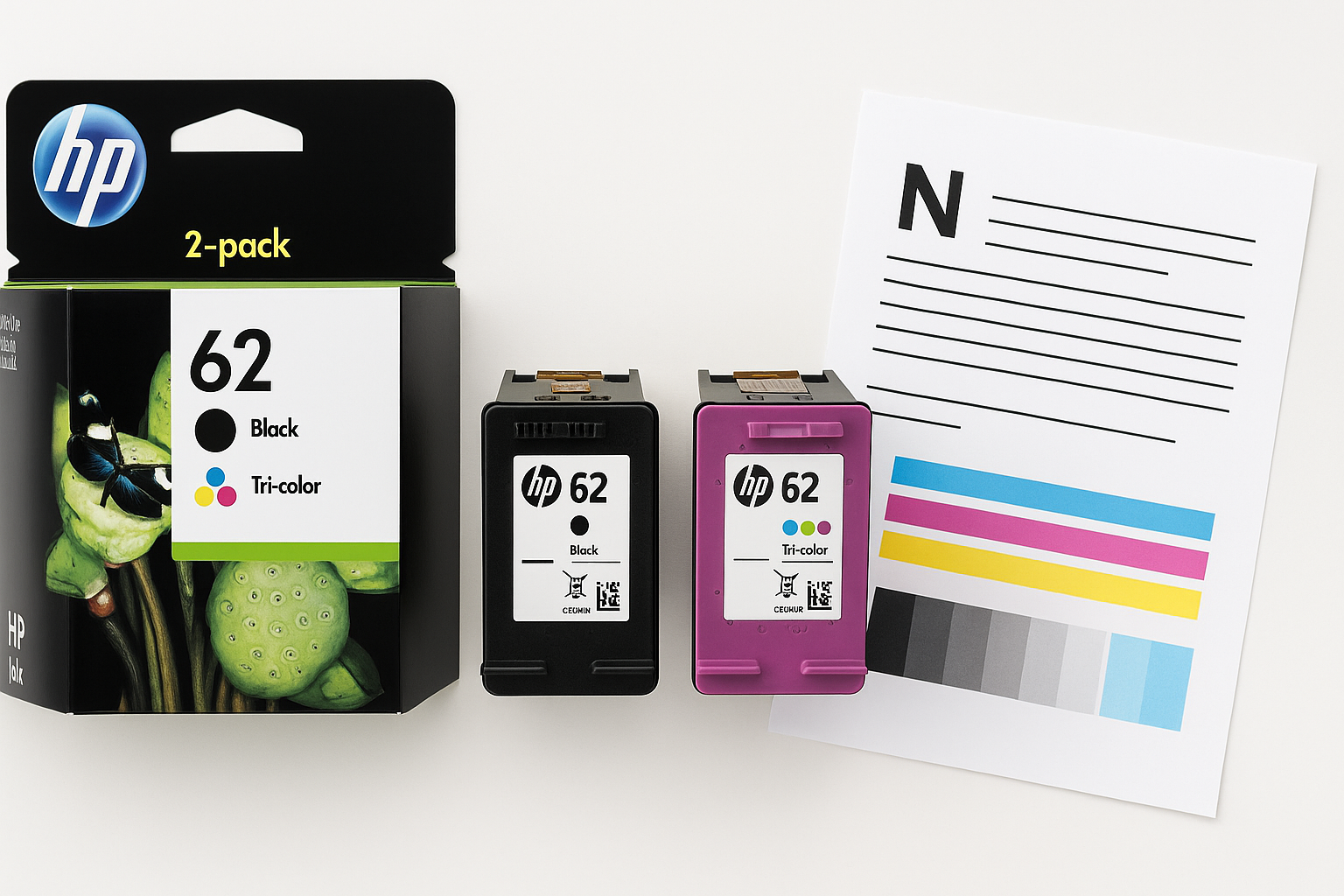
The HP 62 Black/Tri-Color Ink (2-Pack) – N9H64FN is an original HP cartridge bundle designed for popular home and small office printers, including the HP Envy 5540, 5640, 5660, 7640, OfficeJet 5740, 8040, and OfficeJet Mobile 200/250 series. Sold as a combo pack with one black and one tri-color cartridge, it targets users who want dependable everyday printing for documents, school projects, and light photo work.
Because this is a genuine HP product and Instant Ink eligible, it’s positioned as a dependable, maintenance-light option rather than the cheapest ink solution. On retailers such as Amazon, it typically sits in the mid-range for OEM ink pricing, and you’ll often see it listed around $54.89 for the two-cartridge bundle.
Setup / Getting Started
Getting started with the HP 62 Black/Tri-Color Ink (2-Pack) is straightforward, especially if you are already using a compatible Envy or OfficeJet printer.
-
Unboxing and contents
In the standard retail package, you’ll find:- 1× HP 62 Black ink cartridge
- 1× HP 62 Tri-Color (cyan, magenta, yellow) ink cartridge
The listing notes that packaging may vary, so the box artwork and internal packing materials can differ slightly, but the cartridges themselves are functionally identical.
-
Installation process
- Power on your compatible HP printer (e.g., Envy 5540 or OfficeJet 5740).
- Open the ink access door and wait for the carriage to move into position.
- Remove the old cartridges, if present.
- Unwrap each new cartridge and carefully peel off the protective tape over the copper contacts and nozzle.
- Insert the black cartridge into the black slot and the tri-color cartridge into the color slot until they click into place.
- Close the access door and follow on-screen prompts for alignment.
Most users will find setup takes just a few minutes, and the printer’s built-in alignment routine usually runs automatically, printing an alignment page to optimize print quality.
- Instant Ink eligibility
If you’re enrolled in HP’s Instant Ink subscription, these cartridges integrate with the program. The printer monitors usage and can trigger automatic shipments of new ink when levels are low, helping to reduce the risk of running out unexpectedly.
Daily Usage
In everyday use, the HP 62 Black/Tri-Color Ink (2-Pack) is best suited for:
- Home document printing – recipes, web pages, shipping labels, and personal records.
- School and office work – reports, presentations, and handouts with mixed text and light color graphics.
- Occasional photo printing – small photo prints and snapshots, especially on HP photo paper, though this is not a high-yield or photo-specialist cartridge.
Print quality in daily tasks
- Black text: Documents come out generally crisp and dark enough for professional-looking letters and forms. On standard copy paper, text remains readable and sharp even at smaller font sizes.
- Color graphics: Charts, logos, and simple illustrations show good color balance for office-style graphics. Colors are vivid without heavy oversaturation.
- Photos: Casual photos are acceptable, particularly on glossy paper, but color depth and longevity will not match dedicated photo-ink systems with more color channels.
Handling and maintenance
- The cartridges are easy to swap when the printer reports low ink.
- HP’s printers typically include a head-cleaning routine to address minor print-quality issues like banding or faded lines.
- Because these are standard-capacity cartridges, users who print frequently may see replacement prompts relatively often, which is worth factoring into long-term usage.
Performance & Reliability
Print yield and efficiency
HP 62 cartridges are standard yield, meaning they are optimized for moderate home or small office use rather than high-volume printing. Actual page yield depends on what and how you print, but several usage patterns emerge:
- Users who print lightly (a few pages a week) may get several months from a set of cartridges.
- Users who print frequently (multiple pages per day) will likely replace ink more often and may benefit from Instant Ink or higher-yield alternatives where available.
For mixed black-and-color usage typical of home environments, the included tri-color cartridge will often be the first to run low, especially if you print color-heavy documents or photos.
Reliability
On compatible printers, the HP 62 2-pack generally offers solid reliability:
- Consistent output: Once aligned, text and graphics tend to remain stable over the life of the cartridge.
- Minimal clogging: Genuine HP ink is formulated for these specific printheads, reducing the risk of persistent clogs versus some third-party options, provided the printer is used semi-regularly.
- Accurate ink monitoring: HP printers are usually able to estimate remaining ink levels more accurately with original cartridges, giving better warning before ink runs out.
There can still be occasional issues such as cartridges not being recognized after installation or print quality degrading near the end of life, but these are typical of inkjet systems in general rather than specific flaws of this model.
What Works Well
-
Compatibility with popular HP printers
The HP 62 Black/Tri-Color pack supports a wide range of Envy and OfficeJet models (e.g., Envy 5540/5640/5660/7640, OfficeJet 5740/8040, OfficeJet Mobile 200/250). This makes it a straightforward replacement choice if you own one of these printers. -
Genuine HP quality
As original HP cartridges, they are engineered to work with HP’s printheads and firmware, yielding predictable color reproduction and fewer compatibility surprises than some off-brand alternatives. -
Simple installation and use
The installation process is quick and guided by the printer’s display or software, making it suitable for non-technical users. -
Balanced everyday performance
Print quality is strong for everyday text documents and mixed-color office work. Occasional photo printing is also supported, especially when paired with proper photo paper. -
Instant Ink integration
Instant Ink eligibility can simplify ongoing usage by automating replenishment and potentially flattening costs for users who print a consistent number of pages each month.
What Could Be Improved
-
Ink capacity for frequent users
These are standard-yield cartridges. Heavier users may find themselves replacing them more often than they’d like, leading to higher long-term ink costs. For print-heavy environments, higher-yield alternatives, if available, or a different printer platform might be more economical. -
Combined tri-color design
The tri-color cartridge houses cyan, magenta, and yellow ink in a single unit. When one color runs out, you must replace the entire color cartridge, even if the other colors still have ink remaining. This design is simple but not as resource-efficient as printers with separate cartridges for each color. -
Packaging variability
The note that packaging may vary can be slightly confusing to some buyers who worry about authenticity. While the contents are genuine, clearer expectations and more consistent packaging may reassure cautious users. -
Cost sensitivity
Compared with some third-party compatible cartridges, original HP ink typically carries a premium. Although the purchase price is often around $54.89 for this bundle on major retailers, value-conscious users may prefer subscription models or alternative ink solutions, provided they accept potential trade-offs in reliability and print quality.
Overall Impression
The HP 62 Black/Tri-Color Ink (2-Pack) | N9H64FN is a reliable, no-surprises choice for owners of compatible HP Envy and OfficeJet printers who prioritize ease of use and consistent output over chasing the lowest possible ink cost.
It fits especially well if:
- You print moderate volumes of mixed text and color documents.
- You prefer the reassurance of genuine HP cartridges and accurate ink-level reporting.
- You want a solution that integrates smoothly with HP’s Instant Ink service and printer software.
If you print very high volumes or are extremely cost-sensitive, standard-yield OEM cartridges like these may feel limiting over time, and exploring higher-yield or subscription options could be wise. For the typical home user or small office that values dependable operation and straightforward replacement, however, the HP 62 Black/Tri-Color 2-pack remains a solid, practical option.