
Apple iPad 11‑inch (A16, 128GB, Wi‑Fi): A Balanced Work‑and‑Play Tablet for Everyday Use
Introduction
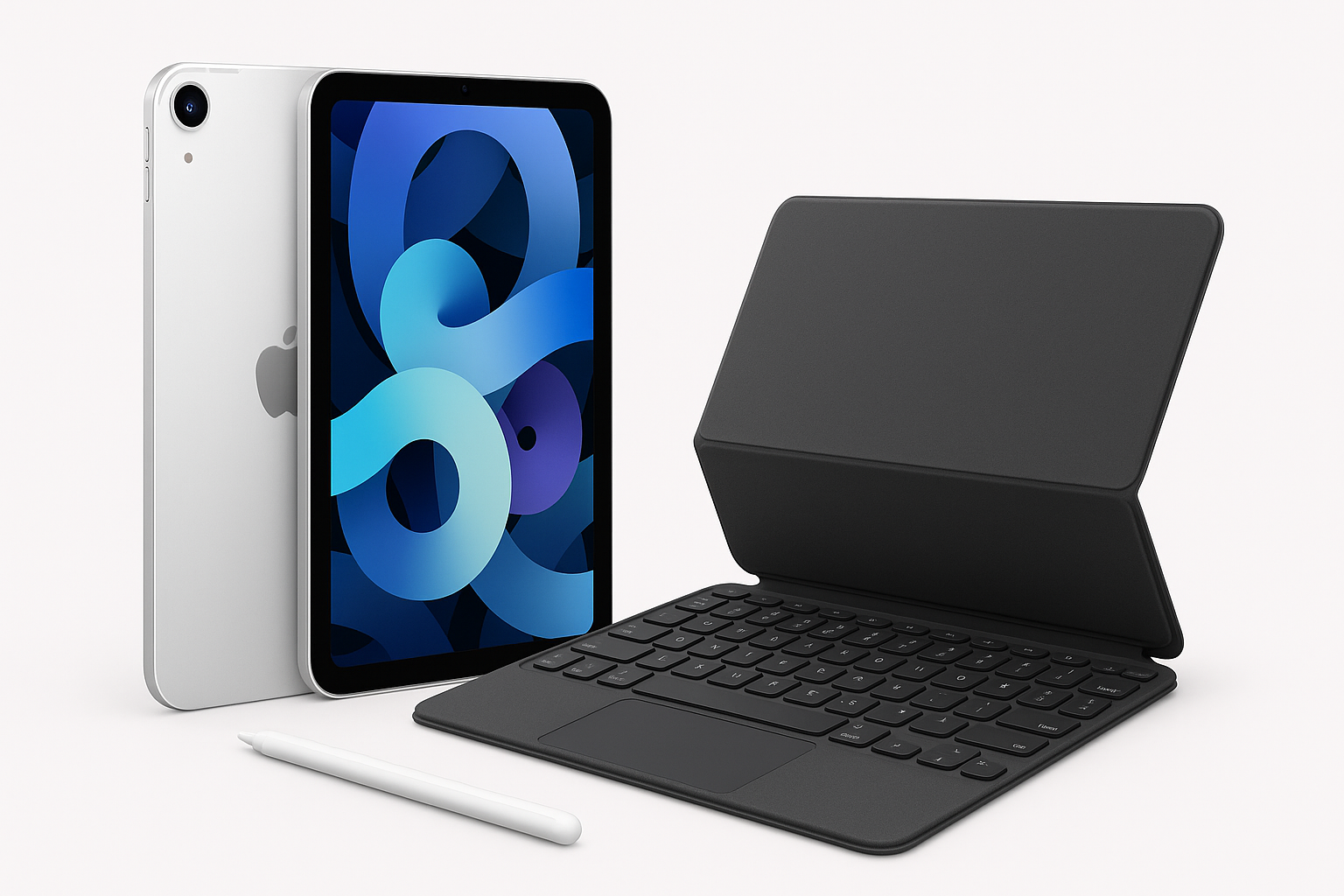
The Apple iPad 11‑inch (A16 chip, 128GB, Wi‑Fi 6, Silver) is positioned as a versatile, mid‑sized tablet for people who want more power and screen real estate than the basic entry‑level iPad, without stepping up to the higher price and complexity of the iPad Pro line. With an 11‑inch Liquid Retina display, updated A16 processor, 12MP front and rear cameras, Touch ID, and all‑day battery life, it aims to handle everything from note‑taking and email to streaming, light content creation, and casual gaming.
This model typically sits in the mid‑range of Apple’s tablet lineup, and you can often find it around $299.00 at the link provided. The question is whether its blend of performance, portability, and features justifies that investment for your specific use case.
Setup / Getting Started
Getting started with the 11‑inch iPad is straightforward, especially if you already live in Apple’s ecosystem.
-
Unboxing and first boot
In the box you’ll find the iPad itself, a USB‑C charging cable, and basic documentation. After the first boot, you’re guided through language selection, Wi‑Fi setup, and optional features like Location Services and Siri. -
Account and data setup
- New users can create an Apple ID during setup and start fresh.
- Existing Apple users can use Quick Start from an iPhone or another iPad to transfer settings, apps, and data wirelessly. This keeps your home screens, iCloud content, and key preferences consistent.
-
Securing the device
This model uses Touch ID integrated into the top button. During setup, you’re prompted to enroll one or more fingerprints. Touch ID remains fast and reliable for unlocking the device, confirming app downloads, and authenticating Apple Pay. -
Core apps and updates
Once you reach the home screen, the iPad will usually check for system updates. Installing the latest version of iPadOS ensures compatibility with new apps and features. Preinstalled apps (Safari, Mail, Notes, Freeform, iMovie, GarageBand, etc.) give you a usable system out of the box before you download anything from the App Store.
Overall, setup is quick—most users can go from sealed box to a fully ready iPad in under 30 minutes, including app downloads and Touch ID enrollment.
Daily Usage
Portability and form factor
The 11‑inch form factor hits a sweet spot between screen size and portability. It’s easier to hold for long periods than a larger tablet, yet still offers enough screen space for:
- Split‑screen multitasking (e.g., Safari + Notes or Mail + Calendar).
- Comfortable reading, even with relatively small text sizes.
- Sketching or marking up PDFs when paired with an Apple Pencil (sold separately).
The Silver finish is understated and professional, and the overall build quality is in line with Apple’s usual high standards—solid aluminum with minimal flex and a premium feel.
Display and media consumption
The 11‑inch Liquid Retina display is one of the key strengths of this iPad:
- Sharpness & color: Text looks crisp, and colors are vivid but not overly saturated, making it suitable for both reading and media consumption.
- Brightness: Adequate for indoor use and usable outdoors in shade; direct bright sunlight will still be challenging, as with most tablets.
- Viewing angles: Wide viewing angles help when sharing the screen for videos or collaborative work.
For everyday tasks—streaming video, browsing, social media, and reading—the display is excellent, and the system‑wide support for True Tone and Night Shift helps reduce eye strain over longer sessions.
Typing and input
On‑screen typing is comfortable in both portrait and landscape modes. However, for long documents or heavy email usage, pairing the iPad with a keyboard case significantly improves productivity. The tablet also supports the Apple Pencil line (model compatibility depends on the exact iPad generation), which is ideal for:
- Handwritten notes.
- Sketching and illustration.
- Precise annotation of PDFs, photos, or screenshots.
Everyday apps and workflows
In daily use, the A16 chip handles common tasks effortlessly:
- Web browsing with multiple tabs.
- Email and calendar management.
- Video streaming in high resolution.
- Social media and messaging.
- Light photo editing and document work.
The 128GB of storage is sufficient for many users who primarily rely on streaming and cloud services. However, if you plan to keep large video projects, extensive offline media, or many large games locally, you may need to manage your storage more actively or consider higher capacities.
Performance & Reliability
Processing power
The A16 chip is designed for responsive multitasking and smooth animations under iPadOS. In day‑to‑day use, this translates to:
- Quick app launches.
- Smooth multitasking with Split View and Slide Over.
- Stable performance when switching between productivity apps, browsers, and media.
For most productivity workflows—office apps, note‑taking, web‑based tools—the A16 delivers more than enough headroom. It also supports many creative apps (photo editing, basic video editing, drawing) without feeling sluggish, though extremely heavy video rendering tasks will still be more comfortable on a higher‑end model or a desktop.
Graphics and gaming
Modern mobile games and graphics‑heavy apps run well, with stable frame rates in many popular titles. Casual gamers and even some more demanding mobile players should find performance more than adequate. Extended high‑load gaming sessions will warm the device, but generally not to an uncomfortable degree.
Connectivity
The inclusion of Wi‑Fi 6 improves wireless performance and stability on compatible routers. You get:
- Faster downloads and smoother streaming on busy networks.
- Better performance in environments with many connected devices (offices, classrooms, shared apartments).
Bluetooth is reliable for connecting accessories like wireless headphones, keyboards, and styluses.
Battery life
Apple advertises all‑day battery life, and in practice this 11‑inch iPad can typically handle a full day of mixed use:
- Web browsing, note‑taking, and email throughout the day.
- A few hours of video streaming.
- Periodic use of productivity and creative apps.
Heavier tasks—like extended gaming sessions or long video editing workloads—will shorten that runtime, but most users can expect to charge once per day or even less with light use.
Reliability and software support
iPadOS is mature and stable. The A16‑based iPad should receive several years of software updates, which is important if you plan to keep the tablet long term. App compatibility is strong across the board; nearly all major productivity, communication, and creative tools are available.
What Works Well
-
Balanced 11‑inch display
The screen size is ideal for people who want more room than a small tablet offers but still need easy portability. The Liquid Retina panel is sharp, color‑accurate enough for general creative use, and pleasant for reading and video. -
Strong everyday performance
The A16 chip provides quick, responsive performance for day‑to‑day tasks, multitasking, and most creative and gaming experiences. It keeps the device feeling snappy and future‑proof for typical workflows. -
All‑day battery life
The battery comfortably covers a full working or school day under typical usage. You can rely on it for commuting, classes, or meetings without constantly seeking a charger. -
Camera setup for video calls and casual photography
Dual 12MP cameras (front and back) make this iPad well‑suited to modern communication:- The front camera works well for video calls and online meetings.
- The rear camera is handy for scanning documents, capturing whiteboards, or quick photos and videos.
-
Touch ID convenience
Touch ID in the top button is fast and unobtrusive. It’s a familiar, reliable method of securing the device and authenticating purchases without needing Face ID. -
Ecosystem integration
Seamless integration with other Apple devices (Mac, iPhone, Apple Watch) enhances workflows: Handoff, iCloud, AirDrop, and Continuity features all work smoothly for users already in Apple’s ecosystem.
What Could Be Improved
-
128GB may be limiting for some users
While 128GB is fine for light to moderate use, power users who store many offline videos, large apps, and creative projects could hit storage limits. Managing files and offloading to cloud storage may become necessary over time. -
Accessory costs add up
To get the most out of this iPad—especially for productivity—you’ll likely want a keyboard case and possibly an Apple Pencil. These accessories significantly improve functionality but also increase the total ownership cost beyond the base $299.00 for the tablet alone. -
No major innovation in the basic experience
For owners of relatively recent iPads, the upgrade to this 11‑inch A16 model may feel incremental rather than transformative. The experience is polished but familiar, with improvements more in speed and efficiency than in new capabilities. -
Outdoor visibility still typical of tablets
While the display is bright enough for most indoor scenarios, direct sunlight can still wash out the screen, making extended outdoor use less comfortable.
Overall Impression
The Apple iPad 11‑inch with the A16 chip, 128GB of storage, Wi‑Fi 6, and 12MP front and back cameras is a well‑rounded tablet that will satisfy a wide range of users. It combines a high‑quality display, strong everyday performance, reliable battery life, and a mature app ecosystem in a portable, premium build.
For students, it’s an excellent note‑taking and media device that can double as a lightweight laptop alternative when paired with a keyboard. For professionals, it handles email, document review, meetings, and remote work tasks comfortably, especially if you’re already using other Apple hardware. For casual users, it’s an ideal tablet for browsing, streaming, gaming, and communication, with enough performance headroom to stay responsive for years.
If you’re looking for an 11‑inch iPad that strikes a balance between capability and price—and you’re comfortable adding accessories over time—this model is a strong, future‑ready choice. Just keep in mind that while $299.00 is competitive for the hardware and experience offered, the true cost may rise as you build out your ideal setup with a case, keyboard, and stylus.