
Apple 2026 MacBook Neo 13‑inch Review: A Compact Laptop Built Around AI
Introduction
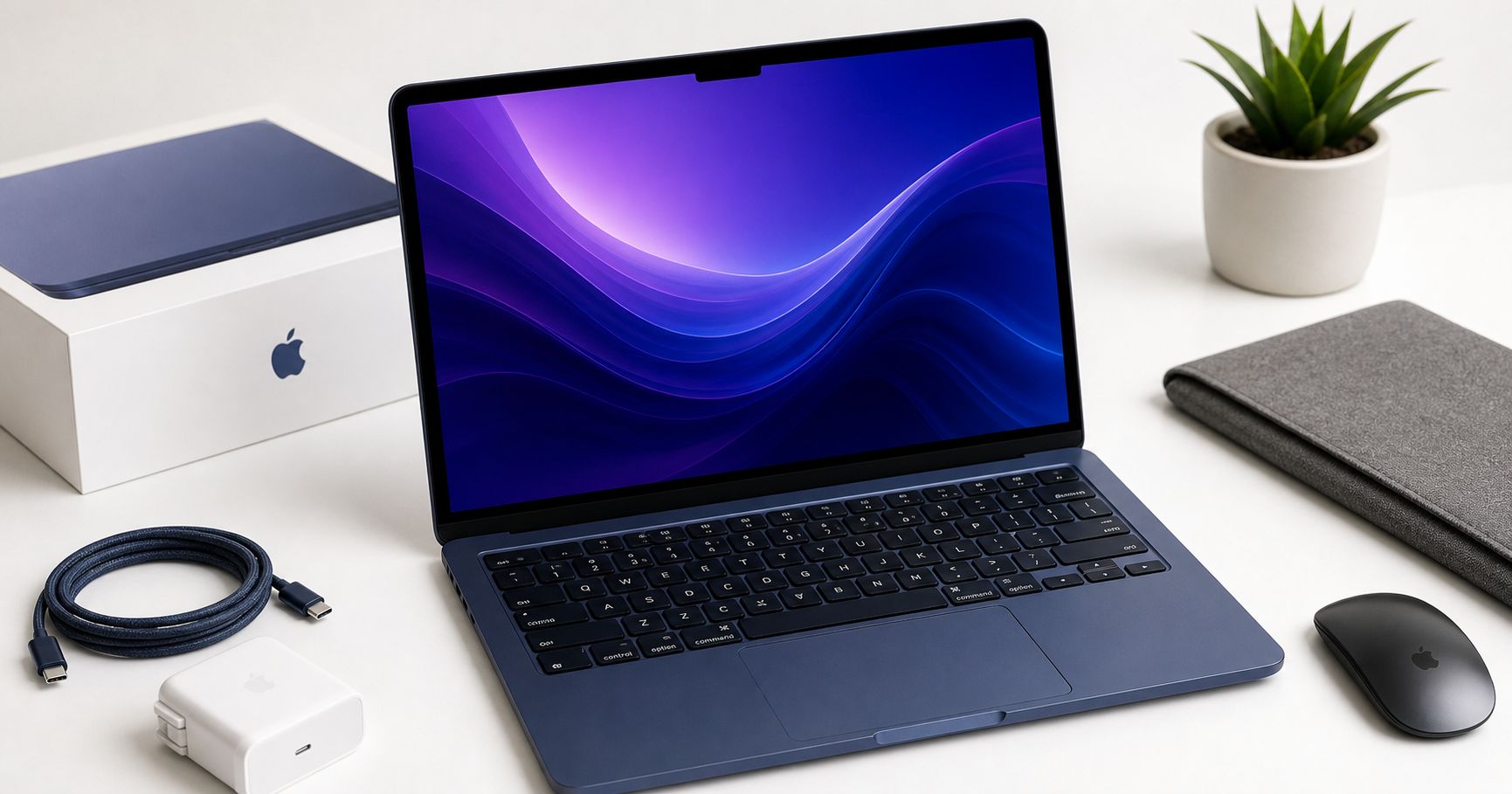
Apple’s 2026 MacBook Neo 13‑inch in Indigo positions itself as a highly portable macOS laptop tuned for AI‑driven workflows. Built around the A18 Pro chip and marketed as “Built for AI and Apple Intelligence,” it aims to bring the kind of on‑device intelligence seen in recent iPhones directly to a compact notebook form factor.
The configuration in focus pairs the A18 Pro with 8GB of unified memory, a 256GB SSD, a 13‑inch Liquid Retina display, and a 1080p FaceTime HD camera. It’s clearly targeted at students, remote workers, and everyday users who care more about mobility, battery efficiency, and smart software features than raw workstation‑class performance. Price‑wise, it sits in the mid‑range of Apple’s laptop lineup at $589.99, making it a potential entry point for users who want a modern Mac but don’t need high‑end specs.
Setup / Getting Started
Getting started with the 2026 MacBook Neo 13‑inch follows the familiar Apple playbook:
-
Initial unboxing and hardware impressions
The Neo is lightweight and slim, with the new Indigo color providing a more distinctive look than the traditional silver or space gray. The aluminum chassis feels rigid despite the compact footprint, and the hinge opens smoothly with one hand. -
First boot and configuration
Powering on takes you through the macOS setup assistant: connecting to Wi‑Fi, signing in with (or creating) an Apple ID, enabling iCloud, and setting up Touch ID. If you already own an iPhone or another Mac, Quick Start and iCloud can restore apps, settings, and keychain data, shortening the migration process. -
Enabling Apple Intelligence and privacy controls
During setup, you’re prompted about analytics, Siri, and Apple Intelligence features. There are clear options to limit data sharing, keep more processing strictly on‑device, and fine‑tune what information the AI services can access (messages, photos, documents, etc.). Users concerned about privacy can still use the laptop effectively with conservative defaults. -
Installing essentials
For most people, the first installs are productivity apps (Microsoft 365 or iWork), a browser (Safari, Chrome, or Firefox), and communication tools (Slack, Zoom, Teams). The A18 Pro chip makes the initial app downloads and updates feel snappy, and the unified memory architecture means system‑level tasks—like Spotlight indexing or photo library analysis—happen largely in the background.
Daily Usage
In day‑to‑day use, the MacBook Neo 13‑inch focuses on being a quiet, cool, and always‑ready companion.
Portability and ergonomics
The 13‑inch footprint hits a sweet spot for mobility. It fits easily into most backpacks and messenger bags, and its light weight makes it comfortable to carry between classes, meetings, or coffee shops. The chassis doesn’t flex when picked up by a corner, which is reassuring for frequent travelers.
The Magic Keyboard‑style layout offers a low‑travel but precise typing feel that many users will recognize from recent MacBooks. Key spacing and feedback are well‑tuned for long writing sessions, and the large glass trackpad remains one of the best on any laptop, with reliable palm rejection and excellent gesture support.
Display and audio experience
The 13‑inch Liquid Retina display offers sharp text, accurate colors, and wide viewing angles. It’s well‑suited to reading, document work, browsing, and media consumption. For content creators, color accuracy is good enough for light photo editing and casual video work, though professionals working in color‑critical environments may still prefer larger, higher‑end displays.
Speakers deliver clear dialog and respectable stereo separation for such a compact device. They’re adequate for calls, streaming, and background music. For critical listening or editing audio, headphones are still recommended.
Connectivity and webcam
The 1080p FaceTime HD camera offers a noticeable step up from older 720p MacBook cameras. Combined with the A18 Pro’s image signal processing, skin tones look more natural, and noise is reduced in typical indoor lighting. On‑device background blur and framing features—leveraging AI—help present a more polished look in video calls without overtaxing the CPU.
Port selection is in line with modern Apple laptops: a small number of USB‑C/Thunderbolt ports and a headphone jack. For users with legacy peripherals, a compact USB‑C hub quickly becomes essential.
Everyday workflows
For browsing, email, note‑taking, video calls, and office productivity, the Neo feels consistently responsive. Multiple browser tabs, streaming audio, a couple of document windows, and chat apps can run simultaneously without the system becoming sluggish, as long as you’re mindful of very heavy multitasking.
Apple Intelligence features contribute subtle but meaningful improvements: smarter search across files and messages, writing suggestions in supported apps, and context‑aware recommendations. These are most noticeable if your digital life already leans heavily on Apple services such as iCloud Drive, Photos, and Mail.
Performance & Reliability
The A18 Pro chip is the core of the MacBook Neo’s performance story. It combines CPU, GPU, and a beefed‑up Neural Engine in a single system‑on‑chip, focusing as much on AI acceleration and efficiency as on traditional raw compute.
CPU and general performance
For light to moderate workloads—office apps, web development, light creatives, and everyday multitasking—the Neo feels fast and fluid. App launches are quick, animations are smooth, and system‑wide search is responsive. Compiling small to medium codebases or working with spreadsheets of typical size doesn’t pose an issue.
When pushed with heavier tasks—multiple development containers, large data sets in memory, or bulk photo exports—the limits of 8GB unified memory become more apparent. macOS manages memory intelligently, but frequent swapping to disk can slow things down in more demanding, parallel workflows.
Graphics and media
The integrated GPU is designed to handle modern UI effects and casual creative workloads well. Light photo editing, short 1080p video projects, and occasional gaming at modest settings are within reach. It’s not aimed at 4K multi‑stream editing or graphics‑intensive 3D work, which remain better suited to higher‑tier MacBooks or desktops.
Media playback is smooth, including high‑resolution streaming content. Hardware decoding support helps keep power consumption low during video watching or video conferencing.
AI and Apple Intelligence
The A18 Pro’s Neural Engine is a highlight. Tasks such as:
- Transcribing voice notes
- Summarizing long documents
- Classifying and searching photo libraries
- Running on‑device translation or text generation features
can be offloaded to specialized AI hardware, resulting in fast and energy‑efficient execution. This enables a more seamless experience for Apple Intelligence‑enabled features without constantly waking the cloud or draining the battery.
Battery life and thermals
Battery life is one of the MacBook Neo’s strong points. The A18 Pro chip, built around efficiency, allows the laptop to comfortably handle a full work or school day on a single charge under mixed use (browsing, writing, streaming, and video calls) with brightness around the mid‑range.
Thermally, the device stays cool to the touch in everyday tasks. Under sustained load, you may feel mild warmth near the keyboard deck, but fan noise—if present—is generally unobtrusive. For users working in shared spaces or quiet libraries, this low acoustic profile is a significant benefit.
Reliability and software support
macOS continues to offer robust stability and a mature software ecosystem. With Apple’s track record, the 2026 MacBook Neo can be expected to receive OS updates and security patches for many years, which is a key part of its value proposition.
What Works Well
- Portability and build quality: Lightweight, rigid chassis and a compact 13‑inch form factor make it ideal for students, commuters, and frequent travelers.
- A18 Pro efficiency: Strong everyday performance combined with excellent battery life, even when AI features are active in the background.
- Apple Intelligence integration: On‑device AI support enhances search, writing, and media organization without feeling intrusive, especially if you already rely on Apple services.
- Display and input devices: The Liquid Retina display offers sharp, vibrant visuals, while the keyboard and trackpad remain among the best in class for comfort and precision.
- Camera and conferencing: The 1080p FaceTime HD camera and AI‑assisted video features create a noticeably more professional presence on calls.
- Long‑term software support: macOS updates and ecosystem integration add significant longevity.
What Could Be Improved
- Base memory (8GB): The entry‑level 8GB unified memory configuration can feel constrained for heavier multitasking, development, or creative workloads. Users planning to run multiple pro apps in parallel may quickly hit its limits.
- Base storage (256GB): With modern app sizes and large media libraries, 256GB fills up fast. Cloud storage can help, but many users will want to budget for external drives or higher‑capacity configurations.
- Limited ports: A small number of USB‑C/Thunderbolt ports means a hub or dock is practically required for users with cameras, external drives, or wired peripherals.
- Not ideal for high‑end creative work: While capable of light photo and video editing, power users who routinely work with 4K video, large RAW collections, or complex 3D projects will likely need more powerful hardware.
- Price positioning: At $589.99, some buyers may expect more generous base RAM or storage. Value‑oriented users should weigh the long‑term OS support and efficiency gains against the upfront cost.
Overall Impression
The Apple 2026 MacBook Neo 13‑inch in Indigo is a thoughtfully balanced laptop for users who prioritize mobility, battery life, and tight integration with Apple’s AI‑driven ecosystem. The A18 Pro chip delivers snappy day‑to‑day performance and efficient on‑device intelligence, making routine tasks—from writing and research to communication and media consumption—feel smoother and more context‑aware.
Its main compromises are in the base configuration. The combination of 8GB unified memory and 256GB SSD will satisfy students, casual users, and light professionals, but it leaves limited headroom for more demanding creative or development workloads. Ports are minimal, and serious creators or power users may quickly outgrow its capabilities.
For its intended audience—users who want a modern, highly portable Mac that leans into AI features and doesn’t require workstation‑class performance—the 2026 MacBook Neo 13‑inch is an appealing option. If you can live within the constraints of its base memory and storage or are prepared to rely on cloud and external storage, it delivers a refined, quiet, and capable computing experience at a price point of $589.99 that reflects its focus on efficiency, ecosystem integration, and long‑term software support.