
Apple 2026 MacBook Air 13-inch (M5) Review: Everyday Mac, Now Built for AI
Overview
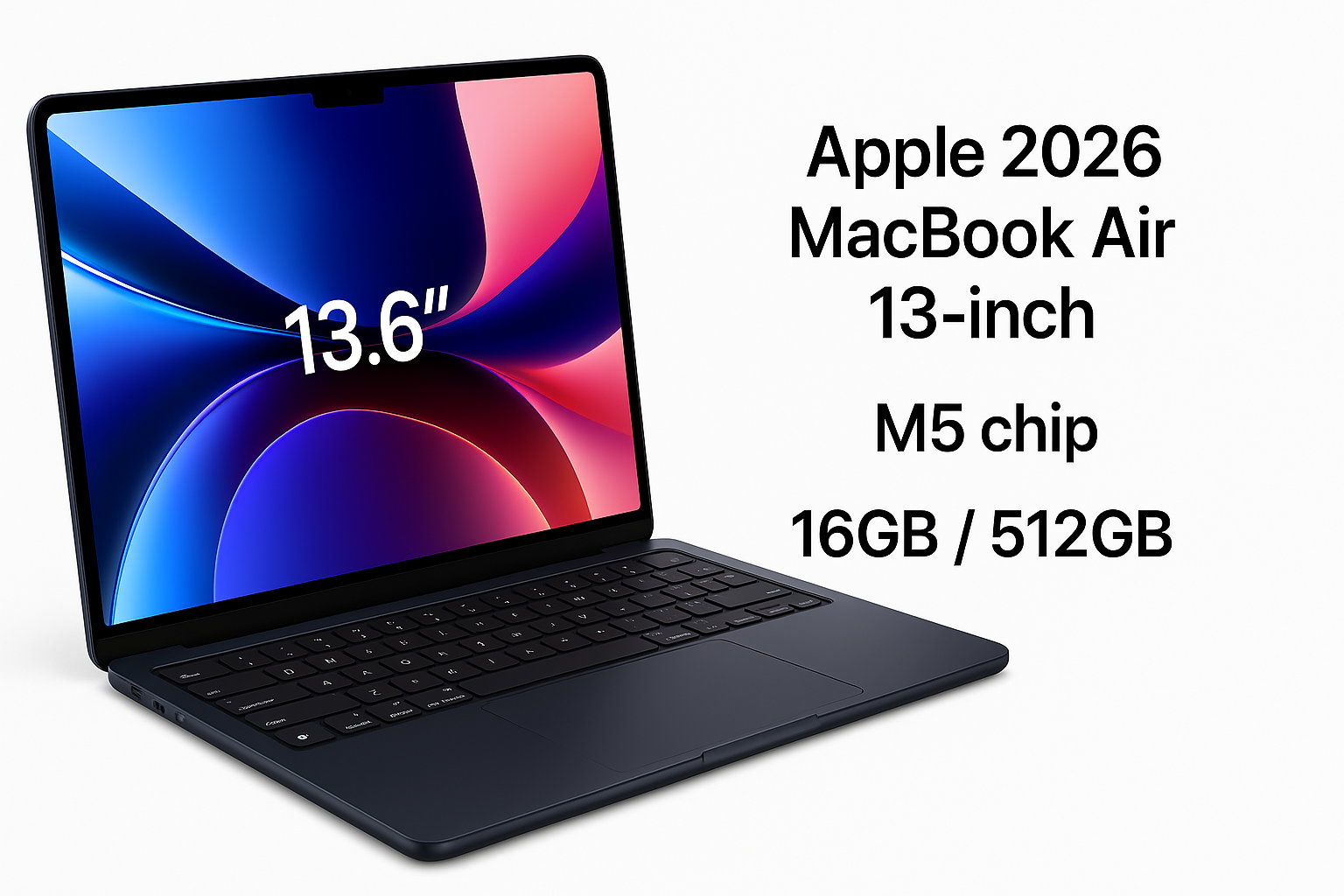
The Apple 2026 MacBook Air 13-inch with M5 chip continues Apple’s strategy of pushing more performance and intelligence into its thinnest, lightest notebook. With a 13.6‑inch Liquid Retina display, 16GB unified memory, 512GB SSD storage, a 12MP Center Stage camera, Touch ID, and Wi‑Fi 7 in the familiar wedge‑free Air design, this model is positioned as a highly capable everyday Mac that now leans more heavily into AI‑accelerated workflows.
Apple targets users who want a silent, cool, and portable laptop that can comfortably handle productivity, media consumption, and moderately demanding creative or AI‑assisted tasks without stepping up to the heavier, more expensive MacBook Pro line. At around $949.00 on Amazon, it sits in the upper mid‑range of premium ultrabooks, trading raw workstation power for portability and efficiency.
Key Highlights
- M5 chip optimized for AI: Next‑generation Apple silicon with improved neural processing for on‑device AI features like image enhancement, transcription, and code assistance.
- 13.6‑inch Liquid Retina display: High‑resolution, color‑accurate panel with slim bezels, suitable for media, photo editing, and general productivity.
- 16GB unified memory: A practical baseline for multitasking, development tools, and light creative work on macOS.
- 512GB SSD: Fast storage for apps and active projects, adequate for most mainstream users.
- 12MP Center Stage camera: Higher‑resolution webcam with subject tracking for video calls.
- Touch ID: Integrated into the keyboard for quick, secure sign‑in and purchases.
- Wi‑Fi 7: Next‑gen wireless standard for higher throughput and lower latency with compatible networks.
- Midnight finish: Dark blue‑black colorway that gives the Air a more modern, professional look.
Core Features
M5 Chip and AI Capabilities
The M5 chip is the core of this MacBook Air. Building on Apple’s previous M‑series architecture, it pairs efficient performance cores with a more powerful Neural Engine. For everyday tasks—web browsing, document editing, email, and streaming—it delivers fluid responsiveness with plenty of headroom.
Where the M5 stands out is in AI‑accelerated workflows:
- Faster on‑device photo and video analysis, such as object detection, scene categorization, and background blurring.
- Enhanced voice dictation and transcription, useful for note‑taking, meetings, and content creation.
- More capable AI coding assistants and IDE integrations, which benefit from hardware‑accelerated model inference.
- Improved real‑time effects in video conferencing apps, including background replacement, noise reduction, and face tracking.
While this is not a machine learning workstation, it is well‑suited for running small to medium local models and leveraging OS‑level AI features without always relying on the cloud.
13.6‑inch Liquid Retina Display
The 13.6‑inch Liquid Retina display offers:
- High pixel density for sharp text and UI elements
- Wide color gamut suitable for photo editing and design work
- Good brightness for indoor use and acceptable outdoor visibility
The slim bezels make the machine feel more modern than older 13‑inch laptops, and the slight notch at the top houses the improved camera system. For most users—students, office workers, and light creatives—the panel quality will feel premium and comfortable for long sessions.
Memory and Storage: 16GB / 512GB
- 16GB unified memory: This configuration is well‑balanced for multitasking: dozens of browser tabs, office apps, messaging clients, and a few heavier tools (like Xcode, Photoshop, or a lightweight video editor) can run simultaneously without the system feeling constrained.
- 512GB SSD: Adequate for typical workflows (documents, photos, apps, and some media). Users working with large video libraries or many local AI models may still want external storage, but for most, 512GB is a comfortable middle ground.
12MP Center Stage Camera
The 12MP webcam is a notable improvement over legacy 720p and 1080p cameras found in many thin laptops. It supports Center Stage, which automatically tracks and reframes you in the shot as you move, helpful for dynamic video calls, online teaching, or content sharing.
Combined with the M5’s image processing and AI enhancements, the result is clearer, better‑exposed video with more intelligent framing than prior Air models.
Touch ID and Security
The integrated Touch ID sensor offers:
- Quick unlock from sleep or boot
- Secure authentication for app logins and password managers
- Convenience for Apple Pay and in‑app purchases
Hardware‑level security from the M‑series architecture (secure enclave, encrypted storage) complements macOS features like FileVault and Gatekeeper, making this a strong option for privacy‑conscious users.
Wi‑Fi 7 Connectivity
Support for Wi‑Fi 7 future‑proofs the MacBook Air’s wireless capabilities. On compatible routers and networks, you can expect:
- Higher peak throughput for large downloads and cloud backup
- Lower latency for online collaboration and game streaming
- Better performance in congested environments like apartments or offices
Even on earlier Wi‑Fi standards, the Air remains fast and stable, but Wi‑Fi 7 ensures this machine won’t feel dated in connectivity for several years.
Usage Experience
Everyday Productivity
For day‑to‑day tasks—document editing, spreadsheets, presentations, email, and heavy web use—the M5 MacBook Air is functionally instant. Apps launch quickly, switching between virtual desktops is smooth, and the system remains responsive even under multi‑app loads.
The fanless design means it runs silently, which is excellent for libraries, meetings, and late‑night use. Thermal throttling is rarely an issue with typical workloads; it only becomes noticeable during prolonged, compute‑heavy tasks like large code builds, exports, or continuous AI inference.
AI‑Assisted Workflows
Apple’s push toward AI‑powered features becomes more apparent in day‑to‑day use:
- Enhanced search and organization in photos and files thanks to faster on‑device indexing.
- Smarter text suggestions, summarization, and corrections in compatible productivity tools.
- More fluid voice‑driven interactions, including dictation for writing and note‑taking.
For users who adopt these tools, the laptop feels more like an active assistant, helping with content drafting, meeting recaps, and organization.
Creative and Developer Work
For light to moderate creative work:
- Photo editing in apps like Lightroom or Photos runs smoothly for moderate‑sized libraries.
- Basic to mid‑range video editing (1080p and some 4K) is feasible, though sustained high‑bitrate 4K or complex timelines will expose the limits of a thin, fanless design.
- Designers working in Figma, Sketch, or browser‑based tools will generally find performance more than adequate.
For developers:
- Web and app development stacks (Node.js, Python, Swift, etc.) run comfortably.
- Local containers and lightweight VMs are possible, but very heavy multi‑container or multi‑VM setups may be better served by a MacBook Pro.
Portability and Battery Life
The 13‑inch MacBook Air form factor remains one of the most portable in the premium segment. It is thin, light, and easy to carry in a backpack or messenger bag.
Battery life, historically a strong point of the Air line, remains a key advantage: you can reasonably expect to get through a full work or school day of mixed use without seeking a charger, especially if you’re mainly browsing, writing, or streaming.
Strengths
- Excellent balance of performance and efficiency for everyday and moderately demanding tasks
- AI‑optimized M5 chip improves responsiveness in modern, AI‑assisted workflows
- High‑quality 13.6‑inch Liquid Retina display suitable for work and entertainment
- 16GB unified memory as a sensible baseline for multitasking and creative apps
- Silent, fanless design with cool operation under typical workloads
- 12MP Center Stage camera delivers better video call quality and framing
- Wi‑Fi 7 support for next‑generation network performance
- Premium build quality and Midnight finish with a modern, minimal aesthetic
- Tight hardware–software integration and long‑term macOS support
Weaknesses
- Not intended as a heavy workstation: sustained 4K video editing, large 3D projects, or big ML training runs are better on a MacBook Pro
- Non‑upgradeable memory and storage: configuration choices at purchase are permanent
- 512GB SSD may be limiting for users with large local media or project libraries
- Limited port selection compared with some competing ultrabooks and pro laptops
- The Midnight finish may show fingerprints and smudges more visibly than lighter colors
Suitable Scenarios
This MacBook Air configuration is especially well‑suited for:
- Students and educators who need a reliable, long‑lasting laptop for research, writing, online classes, and light creative work.
- Remote and hybrid workers using productivity suites, project‑management tools, and frequent video conferencing.
- Developers working primarily with web, mobile, or scripting projects who value portability over maximum compile performance.
- Content creators at a light to moderate level—podcasters, bloggers, photographers, and YouTubers working mostly in 1080p or simple 4K edits.
- Frequent travelers who need a silent, compact, and long‑lasting notebook for planes, trains, and hotel rooms.
It is less ideal for:
- Professional video editors regularly handling multi‑stream 4K or higher‑resolution footage
- 3D artists and engineers using GPU‑intensive rendering or simulation workloads
- Users who need very large local storage and want to avoid external drives
Final Evaluation
The Apple 2026 MacBook Air 13-inch with M5 chip, 16GB unified memory, and 512GB SSD is a well‑rounded, forward‑looking ultraportable. It keeps the signature strengths of the Air line—slim design, silent operation, excellent battery life—while meaningfully upgrading AI‑related performance, camera quality, and wireless connectivity.
For most mainstream Mac users who value portability and a refined everyday experience over maximum compute power, this configuration hits a sweet spot. If your work centers on productivity, study, web development, or light creative and AI‑assisted tasks, the M5 MacBook Air offers a compelling blend of capability and comfort at around $949.00. Power users who routinely push their machines with intensive media or ML workloads will still be better served by the MacBook Pro lineup, but for everyone else, this Air is an excellent, modern default choice.