
Fortinet FortiToken Mobile 5 User License (FTM-ELIC-5) Review: Simple MFA Expansion for Small Teams
Introduction
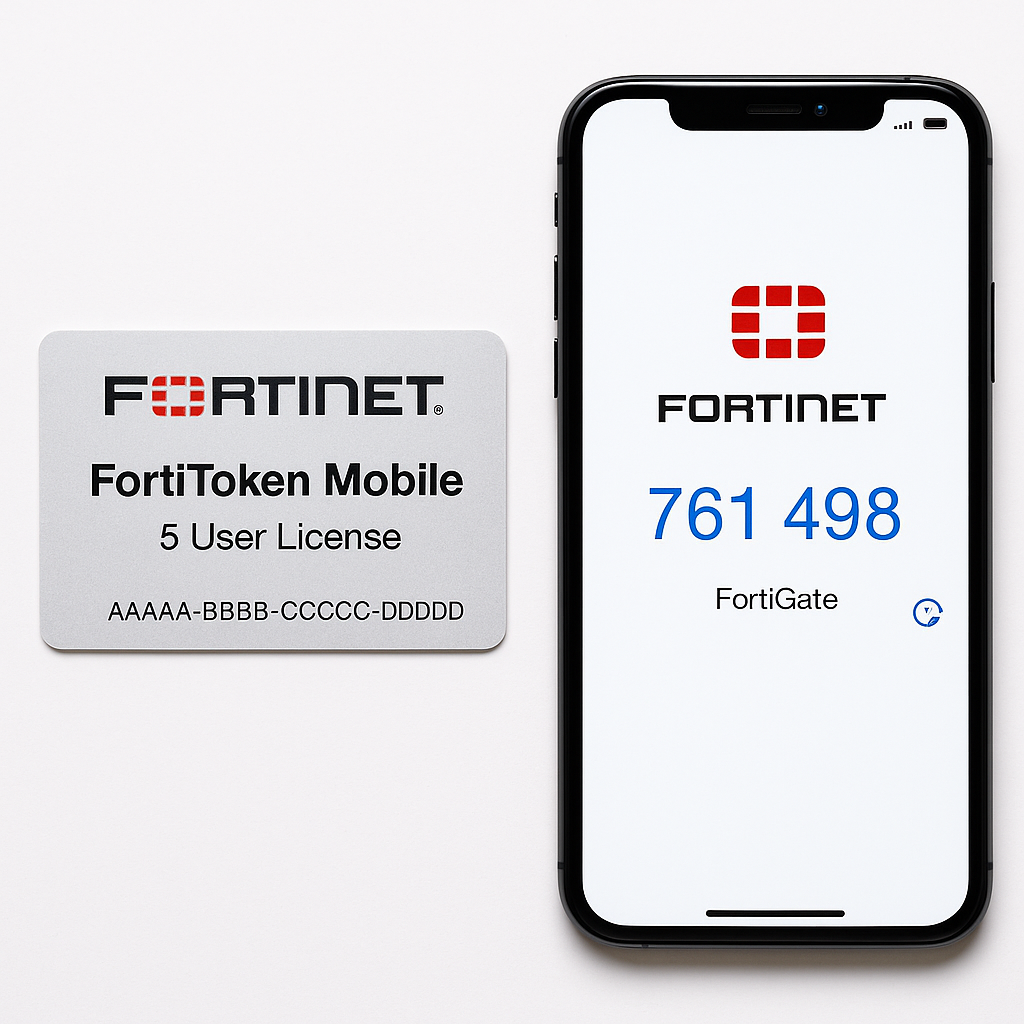
The Fortinet FortiToken Mobile 5 User License (FTM-ELIC-5) is an electronic license that unlocks five software-based one-time password (OTP) tokens for use with Fortinet's security ecosystem, primarily FortiGate firewalls and FortiAuthenticator. Instead of issuing hardware tokens, organizations can assign mobile tokens to users' iOS or Android devices via the FortiToken Mobile app.
For small environments—think a handful of remote VPN users, a pilot MFA rollout, or protecting administrator accounts—FTM-ELIC-5 offers a focused way to add multi-factor authentication (MFA) without large up‑front commitment. At around $336.04 on Amazon, it is positioned as an entry-level license size in the broader FortiToken portfolio.
Setup / Getting Started
License concept and prerequisites
FTM-ELIC-5 is a perpetual software license for five FortiToken Mobile tokens. Each token corresponds to a single user/device pairing and is managed by a FortiGate or FortiAuthenticator appliance.
Before purchasing, you should confirm:
- You are running supported versions of FortiOS or FortiAuthenticator (for example, FortiOS 5.2.11 or later, and FortiAuthenticator 4.3.2 or later are typical baselines for current FortiToken Mobile releases).
- You have a FortiGate or FortiAuthenticator registered with FortiCare so that license activation can be completed.
- Your users have compatible iOS or Android smartphones with access to the Apple App Store or Google Play Store to download the FortiToken Mobile app.
License activation workflow
The typical activation process works as follows:
-
Purchase and obtain activation code
After ordering the FortiToken Mobile 5 User License, you receive an electronic activation code or certificate. This is not a token by itself; it must be registered and associated with a specific Fortinet device or FortiCloud account. -
Register the license
- Log in to your Fortinet support/FortiCare portal account.
- Register the activation code under the appropriate asset (usually a FortiGate serial number or a FortiAuthenticator instance).
- Once registered, the token entitlement becomes visible in the device's license summary.
-
Synchronize with the device
On the FortiGate or FortiAuthenticator:- Trigger a license sync with FortiGuard/FortiCare.
- Verify that five new FortiToken Mobile tokens are now available in the token inventory.
-
Provision tokens to users
For each user:- Create or edit a user account on the FortiGate/FortiAuthenticator.
- Assign an available mobile token to that user.
- Send the provisioning information (usually a QR code or activation email/SMS) so the user can register the token in their FortiToken Mobile app.
The initial setup is straightforward for administrators familiar with Fortinet's management interfaces. For newcomers, the most common stumbling blocks are ensuring proper FortiCare registration and understanding that the license attaches to a particular device or user base and cannot be freely moved between appliances.
Daily Usage
Once provisioned, day‑to‑day operation is largely user-driven and low maintenance.
End‑user experience
A typical user flow looks like this:
- The user opens the FortiToken Mobile app on their smartphone.
- The app displays a time‑based one-time password (TOTP) code that refreshes periodically.
- When logging in to SSL VPN, IPsec VPN, or an administrative web portal protected by FortiGate/FortiAuthenticator, the user enters:
- Their standard username and password.
- The current OTP code from the FortiToken Mobile app.
The interface is minimalist and similar to other OTP apps. Once set up, users generally have little interaction beyond opening the app when prompted.
Administrator perspective
For administrators, daily usage consists of:
- Monitoring token assignments: Ensuring the limited pool of five tokens is assigned to the correct users and reclaimed when staff leave.
- Occasional reprovisioning: Handling lost phones or users who need their token reset. This involves unbinding the old token and creating a new activation link or QR code.
- Policy enforcement: Mapping MFA requirements to security policies—e.g., enforcing OTP for remote access, admin logins, or specific user groups.
Overall, the license behaves predictably once in place, and administrative overhead scales more with user support than with technical complexity.
Performance & Reliability
Token generation and latency
- Immediate code generation: The FortiToken Mobile app calculates codes locally using industry-standard OTP algorithms (TOTP/HOTP), so there is no noticeable delay when generating codes.
- Low infrastructure impact: Because the heavy lifting is minimal—essentially validating short OTP strings—FortiGate and FortiAuthenticator devices typically handle OTP checks without a measurable impact on firewall or authentication performance.
Reliability considerations
- Offline-friendly: OTP codes are generated on the phone without needing a continuous internet connection, which is beneficial for users on cellular or limited connectivity.
- App availability: The FortiToken Mobile app is actively maintained for current iOS and Android versions. Compatibility has historically been good, but organizations should factor in occasional app updates and OS version changes in their test cycles before large rollouts.
- Single-device binding: Licenses are inherently tied to a specific token instance on a user’s device. Replacing or resetting phones requires administrative intervention to issue a new token, which is by design for security.
For a five-user license, performance is effectively a non-issue; reliability mostly depends on user device health and keeping your FortiGate/FortiAuthenticator firmwares up to date.
What Works Well
1. Tight integration with Fortinet ecosystem
FTM-ELIC-5 is purpose‑built for Fortinet environments:
- Integrates natively with FortiGate for VPN and admin login MFA.
- Works with FortiAuthenticator for broader identity and access management scenarios.
- Fits smoothly into existing Fortinet license and support workflows.
For organizations already using FortiGate as their primary firewall/VPN solution, this avoids third‑party MFA complexity.
2. Software tokens instead of hardware
Using mobile app tokens offers several advantages:
- No need to inventory or ship physical keyfobs.
- Users can start using MFA as soon as they receive the activation email or QR code.
- Lower logistical overhead when compared to managing hardware tokens.
3. Granular, small-batch licensing
The five‑user bundle is ideal for:
- Pilot projects that test MFA with a small group before broader adoption.
- Protecting high‑privilege accounts such as administrators or executives without licensing the entire user base.
- Small organizations with only a handful of remote or high‑risk users.
It gives you a clear cap: you get five distinct tokens, no more and no less, with transparent scaling to larger bundles if needed.
4. Perpetual license model
Unlike subscription-only models, FTM-ELIC-5 is typically sold as a perpetual license for the token entitlements themselves. Once activated, those five tokens remain available for your environment, subject to Fortinet’s transfer and usage rules, reducing long‑term operational costs compared with recurring per‑user MFA SaaS.
What Could Be Improved
1. License transferability and device migration
One of the more important caveats with FortiToken Mobile licensing is how tokens can be moved or reissued when users change devices:
- Each mobile token is bound to a device. If a user loses a phone or upgrades to a new one, the old token typically cannot just be migrated; it must be revoked and re‑issued.
- Fortinet has tightened license transfer rules over time, particularly for licenses shipped after specific dates, making it harder to move entitlements between different FortiGate or FortiAuthenticator instances without going through support.
For a five-user deployment, this is manageable, but administrators should plan clear processes for phone refreshes and lost devices.
2. Limited to Fortinet stack
This license is optimized for Fortinet appliances. While this is a strength in homogeneous environments, it may be a limitation if you:
- Use multiple firewall or VPN vendors and want vendor‑agnostic MFA.
- Prefer centralizing identity entirely in cloud IdPs such as Azure AD or Okta.
In such cases, FortiToken Mobile becomes only one part of a broader MFA strategy, and you may need to manage additional OTP or push‑based systems in parallel.
3. No push-based authentication
FortiToken Mobile, particularly in its OTP token role, focuses on numeric codes rather than modern push notifications common in many cloud MFA solutions. This means:
- Users must actively open the app and type codes, which is slightly less convenient than tapping an approval button on a notification.
- Usability is still acceptable, but organizations accustomed to push‑based MFA may view this as a step back in user experience.
4. Small license size can be restrictive
While five users is perfect for pilots and small teams, some environments quickly outgrow this size:
- Any growth beyond five concurrent users requires purchasing additional licenses (e.g., 10, 25, or higher user bundles).
- Because tokens are discrete, you cannot temporarily “over‑allocate” without new licenses; every additional user needing MFA consumes a token.
Planning ahead for near‑term growth can help avoid fragmented licensing and repeated small purchases.
Overall Impression
The Fortinet FortiToken Mobile 5 User License (FTM-ELIC-5) is a focused, practical way to bring MFA to small Fortinet-centric environments. It combines tight integration with FortiGate and FortiAuthenticator, simple mobile app delivery, and a perpetual license model that keeps ongoing costs predictable.
It is best suited for:
- Small businesses that want to secure VPN access or administrator logins for a handful of users.
- Larger organizations running pilot MFA deployments before they commit to broader rollouts.
- Security-conscious teams that prefer to stay wholly within the Fortinet ecosystem rather than bolting on third‑party MFA tools.
Potential buyers should be aware of the constraints around token/device binding, the lack of push-based user experience, and the Fortinet‑specific nature of the solution. If those considerations align with your environment and expectations, FTM-ELIC-5 is a solid, low‑complexity step into MFA that scales naturally into larger FortiToken bundles as your needs grow.