
ASURION 2 Year Laptop Protection Plan ($350–$399.99) Review: Is It Worth Adding to Your Cart?
Product Context
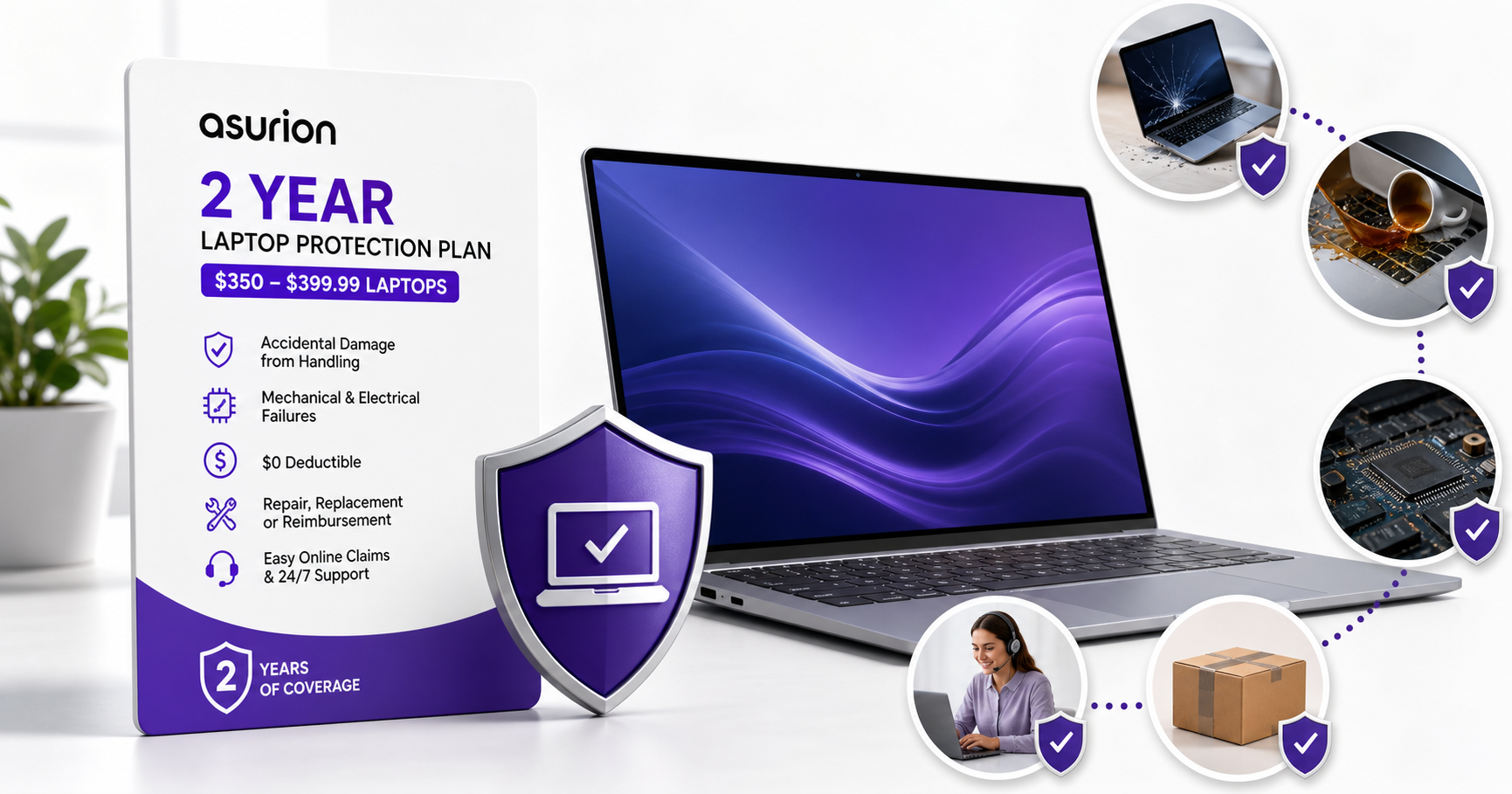
The ASURION 2 Year Laptop Protection Plan ($350–$399.99) is a digital protection plan sold through Amazon for laptops originally priced within the $350–$399.99 range. Instead of being a physical product, it’s essentially an insurance-style service contract intended to reduce the financial risk of laptop failures and common accidents during the first couple of years of ownership.
Key context points:
- Applies to a specific price band: The plan is meant for laptops whose purchase price falls between $350 and $399.99 at the time of purchase.
- Duration and timing: It provides coverage for a total of two years from the date of purchase. In practice, it often complements the manufacturer’s warranty (which typically covers defects) and adds accidental damage and certain failure protections.
- Digital fulfillment: After purchase, plan details and contract terms are delivered electronically. You don’t receive a physical card; your proof of coverage is your Amazon order and the associated policy details.
- Intended buyer: This plan is aimed at users who rely heavily on their laptop for work, school, or travel and want predictable repair or replacement options if something goes wrong.
The cost of the plan itself is usually modest relative to the price of the laptop; for reference, you may see it offered around $61.99 on the Amazon product page, depending on current promotions and taxes.
Feature Breakdown
While exact terms can vary slightly over time and by retailer, the ASURION 2 Year Laptop Protection Plan ($350–$399.99) typically includes the following core features:
1. Accidental Damage from Handling (ADH)
One of the primary reasons buyers consider this plan is accidental damage coverage:
- Protection for drops, spills, and cracked screens resulting from normal use.
- Coverage usually starts from day one, rather than only after the manufacturer warranty ends.
- Applicable to incidents such as knocking a drink onto the keyboard, dropping the laptop off a desk, or closing the lid on an object and cracking the display.
2. Mechanical and Electrical Failures
Beyond accidents, the plan typically covers:
- Hardware failures due to normal use (e.g., motherboard issues, internal component failures, power problems).
- Electrical failures not caused by misuse or unauthorized modifications.
- Issues that occur after any initial return window has closed, when you would otherwise be fully dependent on the manufacturer warranty.
3. No Additional Repair Costs
A selling point of many Asurion plans is minimizing surprise out-of-pocket expenses:
- $0 deductible for covered repairs or replacements (no service fee at claim time if the issue is approved).
- Parts, labor, and shipping are generally included for authorized repairs.
4. Repair, Replacement, or Reimbursement
Depending on the situation, Asurion may:
- Repair your existing laptop using an authorized service center.
- Replace the laptop with a comparable model if repair is uneconomical.
- Provide reimbursement or a gift card/credit up to the original purchase price if replacement is not practical.
Details around replacement equivalents and reimbursement methods are governed by the full plan terms, so it’s important to review the contract language within your Amazon account.
5. Online Claim Management
Asurion supports:
- Online claim filing, where you describe the issue and attach proof of purchase if needed.
- Status tracking for open claims.
- Customer support via phone or chat, depending on region, for help with the process.
Performance Insights
Because this is a service contract rather than a physical device, performance is best evaluated in terms of claim experiences, response times, and how well coverage aligns with real-world issues.
Real-World Use Cases
Typical situations where this plan can provide value include:
- A student’s laptop is dropped in a backpack, resulting in a cracked display.
- A remote worker accidentally spills coffee on the keyboard, causing the device to stop powering on.
- A laptop experiences a sudden hardware failure just outside the manufacturer’s warranty period.
In these cases, a covered claim can avoid paying full retail for repairs or replacement. For laptops in the $350–$399.99 range, a single major repair (like a display or motherboard replacement) can easily cost a significant fraction of the laptop’s value, making the plan’s one-time cost (around $61.99 at purchase) potentially justifiable.
Claim Experience Factors
Performance can vary, but there are a few consistent themes users should be aware of:
- Documentation matters: Having your Amazon receipt and clear description of the incident significantly smooths the process.
- Assessment can take time: There may be shipping time to and from service centers, plus evaluation and parts ordering.
- Coverage is conditional: Incidents must meet the contract criteria—e.g., accidental and sudden, not gradual wear, cosmetic-only damage, or intentional misuse.
Compared with self-funding repairs, the plan can be a net positive if you have even one serious covered incident within the two-year period.
Usability
Since this is a digital plan, usability is about how easy it is to activate, manage, and use when something goes wrong.
Purchase and Activation
- Purchase timing: The plan is usually offered on the Amazon product page or in your cart when you buy a qualifying laptop. In some cases, you may be able to add it shortly after the laptop purchase within a defined window.
- Automatic association: When purchased together with a laptop, the plan is typically tied to that specific order automatically—no serial number entry is required at checkout.
- Document storage: Your coverage information appears in your Amazon account under Orders or Digital Orders, which simplifies later lookup.
Filing a Claim
When a problem arises, typical steps include:
- Locate your plan in your Amazon account or via Asurion’s online portal.
- Start a claim online, providing details of the incident and confirming the device.
- Follow instructions from Asurion, which may involve:
- Running basic troubleshooting.
- Shipping the device in a provided box.
- Visiting a local service provider, where available.
- Await resolution, which may be a repair, replacement, or reimbursement.
For many users, the biggest usability consideration is whether they are comfortable shipping their primary laptop away for service and potentially being without it for several days.
Day-to-Day Impact
Outside of claim situations, the plan is unobtrusive:
- No installed software or performance overhead on your laptop.
- No recurring tasks beyond possibly keeping your proof of purchase accessible.
- No subscription management; it is a one-time purchase for the defined 2-year term.
Trade-offs
Choosing whether to buy the ASURION 2 Year Laptop Protection Plan ($350–$399.99) largely comes down to how you balance risk, cost, and usage patterns.
Advantages
- Financial protection against accidents: Drops, spills, and cracked screens can easily exceed the cost of the plan.
- Covers common hardware failures: Offers a safety net beyond the standard manufacturer warranty period or scope.
- Predictable costs: With a $0 deductible for approved claims, your primary cost is the upfront plan price.
- Peace of mind for heavy users: Ideal for students, frequent travelers, or people who carry their laptop daily.
Limitations and Considerations
- Limited term: Coverage is capped at two years, aligning with early-life risk but not covering very long-term wear.
- Not all damage is covered: Exclusions often include intentional damage, theft, loss, cosmetic-only issues, and damage from unauthorized repairs or modifications.
- Claim approval is not guaranteed: Claims must meet the policy’s definitions and may be denied if the incident falls outside the terms.
- Opportunity cost: If you never experience a covered issue, the plan becomes a pure sunk cost. Some users may prefer to “self-insure” by setting aside an equivalent amount of money.
- Laptop value band is fixed: The plan only applies if your laptop’s purchase price was between $350 and $399.99. Using it for a device outside this band could cause complications or ineligibility.
When It Makes the Most Sense
The plan tends to be most compelling if:
- You are prone to accidents or will use the laptop in less controlled environments (shared spaces, campus, travel, kids at home).
- You rely on the laptop as a primary work or school device, where downtime or replacement costs would be especially painful.
- You prefer clear, upfront protection rather than dealing with unpredictable repair quotes later.
Conclusion
The ASURION 2 Year Laptop Protection Plan ($350–$399.99) is a focused, two-year safety net tailored to laptops in the mid-budget price range. It supplements the typical manufacturer warranty by adding coverage for accidents (drops, spills, cracked screens) and for mechanical or electrical failures that occur under normal use.
If your laptop is mission-critical or likely to face real-world hazards, the plan’s one-time cost (around $61.99 as commonly listed on Amazon) can be a reasonable trade for reduced financial risk and the convenience of a structured repair or replacement process. On the other hand, careful users who rarely move their laptop, or those comfortable self-insuring and paying out of pocket if something goes wrong, may find less tangible value.
Ultimately, this protection plan is best viewed as risk management, not a guaranteed savings tool. Understanding what is and is not covered, how claims are handled, and your own tolerance for risk will determine whether adding it to your cart makes sense for your specific laptop and usage style.