
Apple AirPods 4 Review: Subtle Redesign, Smarter Audio, Familiar Convenience
Introduction
Apple’s AirPods line has become almost synonymous with true wireless earbuds for iPhone users, and the Apple AirPods 4 Wireless Earbuds continue that trajectory with a focus on comfort, smarter audio processing, and tighter integration with Apple’s ecosystem. They feature the Apple-designed H2 chip, personalized Spatial Audio with dynamic head tracking, a USB-C charging case, and up to 30 hours of total listening time when you include the case.
While they are an incremental evolution rather than a radical reinvention, AirPods 4 aim to solve practical, everyday issues: long-wear comfort, call clarity in noisy environments, and seamless device handoff. Positioned in the mid-to-premium tier of wireless earbuds, they sit around the $99.00 mark on Amazon, making it important to understand what you’re getting in terms of real-world experience.
Setup / Getting Started
Setting up AirPods 4 is intentionally simple, especially if you’re in the Apple ecosystem:
-
Unboxing and first impressions
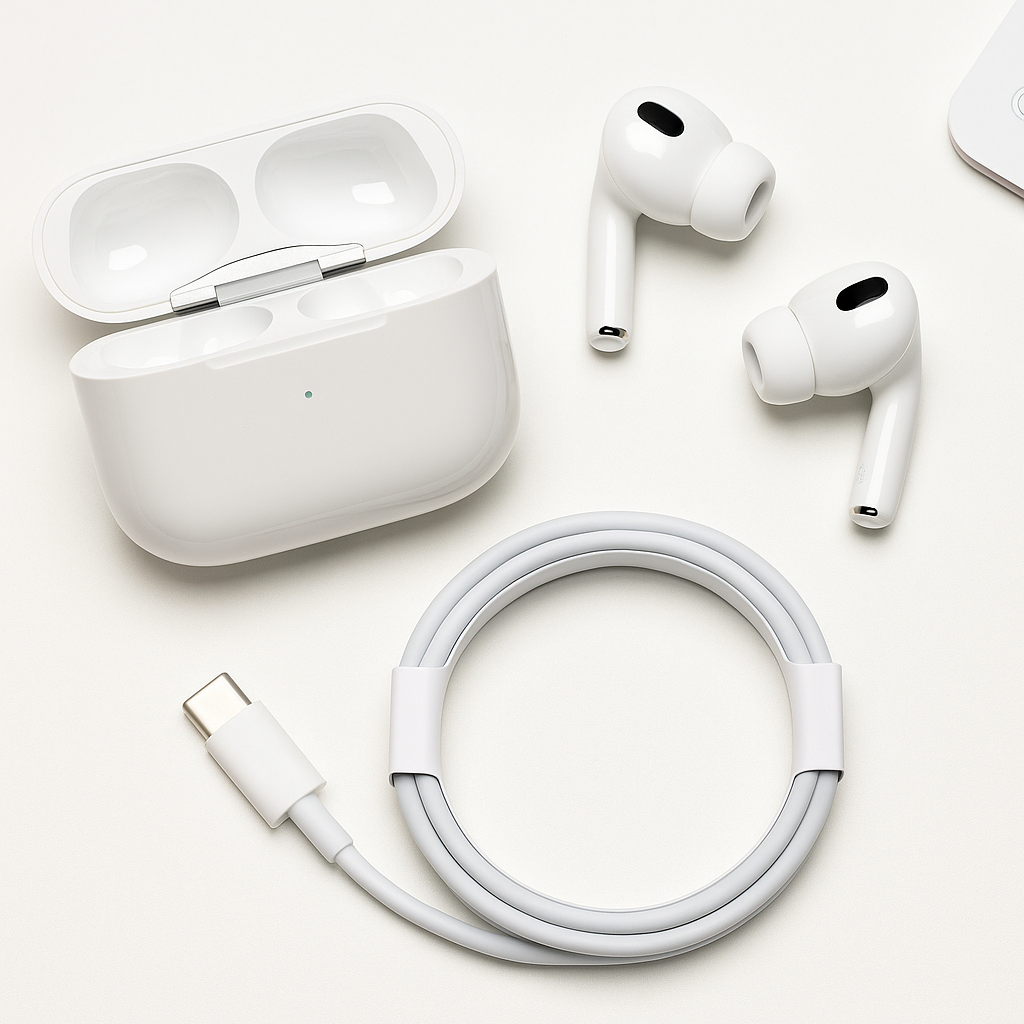
Inside the box you’ll find the AirPods 4 earbuds, the USB‑C charging case, and a USB‑C cable. The case has a familiar rounded design but is compact enough to disappear into a pocket, with a solid-feeling hinge and a status LED on the front. -
Pairing with an iPhone
- Open the charging case near your unlocked iPhone.
- A setup animation appears on-screen; tap Connect.
- iCloud sync automatically makes them available on your other Apple devices signed into the same Apple ID (iPad, Mac, Apple Watch).
-
Configuring Personalized Spatial Audio
From the Bluetooth settings for AirPods on your iPhone, you can walk through a brief setup process to enable Personalized Spatial Audio. This uses data from your iPhone’s TrueDepth camera to tune the spatial audio profile to the shape of your ears and head, helping create a more convincing surround effect for music, movies, and games. -
Basic controls
AirPods 4 continue to use stem-based pinch controls:- Single press: play/pause or answer/end a call
- Double press: skip forward
- Triple press: skip back
- Press and hold: configurable (for Siri or other functions, depending on iOS settings)
For Android users, AirPods 4 can still pair over standard Bluetooth, but you lose tight integration features like one-tap setup, iCloud sharing across devices, and some advanced Spatial Audio configuration options.
Daily Usage
In day-to-day use, AirPods 4 are designed to be nearly invisible—both in how they feel and how they integrate into your routine.
Comfort and Fit
The fourth-generation design focuses heavily on comfort. The stems are shorter and the contour of the earbuds is refined, which helps them sit more securely without digging into the ear. For most users with average ear sizes, they should remain comfortable for long listening sessions, such as workdays, commutes, or extended video calls.
Because these are open or semi-open style earbuds (rather than deep in-ear monitors), they generally feel less intrusive and allow a bit more environmental sound through. That’s ideal for office use or walking in busy areas, but it does mean you get less passive noise isolation than with in-ear designs or models that include silicone tips.
Controls and Siri Integration
The pinch-based stem controls are responsive and minimize accidental touches compared with touch-only surfaces. If you’re used to earlier AirPods, the learning curve is minimal.
Voice control is a key part of the experience:
- You can say “Siri” or “Hey Siri” to play music, change volume, place calls, or check notifications.
- The H2 chip helps with responsive wake-word detection, so invoking Siri doesn’t typically lag.
This hands-free control is particularly useful when your phone isn’t readily accessible—during workouts, cooking, or commuting.
Battery Life and Charging
Apple rates AirPods 4 for up to 30 hours of total listening time when you combine multiple charges from the USB‑C case, with several hours of continuous playback from the earbuds on a single charge. In practice, this is enough to cover:
- A full workday of mixed calls, music, and breaks
- Several days of casual listening and occasional calls before you need to recharge the case
USB‑C charging is a welcome, modern touch, especially if you already carry a USB‑C cable for your iPhone or Mac. Quick top-ups—placing the earbuds back in the case for a few minutes—are usually enough to get through the rest of a commute or meeting block.
Sweat and Water Resistance
AirPods 4 are sweat and water resistant, making them suitable for light workouts, walks in light rain, or use in more humid environments. They’re not meant for swimming or heavy water exposure, but the rating should cover most everyday scenarios like gym sessions or outdoor runs.
Performance & Reliability
Sound Quality
The H2 chip is the centerpiece of the AirPods 4 sound experience. While these are not audiophile-grade monitors, they deliver a balanced, consumer-friendly profile:
- Bass: Present and reasonably tight, but not overwhelming. You get enough low-end impact for pop, hip-hop, and electronic music without muddying vocals.
- Mids: Clear and forward enough to keep voices intelligible in podcasts, audiobooks, and dialogue-heavy shows.
- Highs: Detailed without being harsh at typical listening levels.
Personalized Spatial Audio with dynamic head tracking is where these earbuds differentiate themselves from many competitors. When enabled with compatible content (like movies or music mixed for Spatial Audio), you get:
- A more immersive, surround-like soundstage
- Perceived positioning of instruments and effects around you
- Head tracking that keeps sound anchored as you move your head, simulating a stable “front” source like a TV or stage
For standard stereo content, you can still benefit from some of the computational audio features, but spatial effects shine most with supported media.
Call Quality and Voice Isolation
Call quality is a significant focus of AirPods 4. The microphones and H2 chip work together to provide voice isolation in noisy environments. In practice, this means:
- Your voice sounds clearer and better separated from background noise to the person on the other end.
- Environmental sounds like traffic, office chatter, or air conditioning are reduced but not always completely removed.
For frequent callers—whether in sales, support, or remote work—this improvement can be meaningful, especially if you’re often on the move.
Connectivity and Multi-Device Use
On iPhone, AirPods 4 generally offer:
- Stable Bluetooth connections with minimal dropouts in typical home and office environments.
- Fast switching between Apple devices signed into the same Apple ID (for example, moving from watching a video on your iPad to taking a call on your iPhone).
Occasionally, automatic switching can be too eager or switch when you don’t want it to, but this behavior can be tuned in settings. For non-Apple devices, AirPods 4 behave like conventional Bluetooth earbuds—generally stable, but without Apple-specific extras.
What Works Well
- Comfort-focused design: The refined shape and shorter stems make AirPods 4 easy to wear for long periods without significant ear fatigue for most users.
- H2-powered audio and Spatial Audio: Personalized Spatial Audio with head tracking adds immersion for compatible content, and the overall sound quality is solid and well-tuned for casual and everyday listening.
- Improved call performance: Voice isolation meaningfully boosts speech clarity, which is valuable for remote work, commuting, or noisy environments.
- Seamless Apple ecosystem integration: Instant pairing, iCloud syncing, and fast device switching make these particularly compelling for iPhone, iPad, and Mac users.
- USB‑C charging and long battery life: Up to 30 hours of total listening time with the case and the convenience of USB‑C align with Apple’s broader move to a single charging standard.
- Sweat and water resistance: Suitable for exercise and daily outdoor use without the constant worry of sweat damage.
What Could Be Improved
- Limited appeal outside the Apple ecosystem: While they work with any Bluetooth device, many signature features—Spatial Audio setup, one-tap pairing, and seamless switching—are heavily geared toward iOS and macOS users.
- Open design trade-offs: The comfort of the semi-open fit means less passive noise isolation and more sound leakage compared with in-ear buds that use silicone tips, especially in loud environments.
- No advanced customization for sound profile: Equalizer-style tuning is mostly handled via iOS system settings or third-party apps; users who want granular on-device EQ controls might find the options limited.
- Price positioning: At around $99.00, these sit firmly in the premium bracket for non-ANC earbuds. Competing models in the same price range sometimes offer features like more aggressive noise cancellation or more extensive cross-platform apps.
Overall Impression
Apple AirPods 4 Wireless Earbuds are a thoughtful refinement of a proven formula. They excel where it matters most for many iPhone users: comfort, convenience, and ecosystem integration. The combination of the H2 chip, personalized Spatial Audio, and improved voice isolation make them a strong everyday companion for music, media, and calls.
If you’re already invested in the Apple ecosystem and value hassle-free pairing, reliable performance, and a lightweight, comfortable fit, AirPods 4 justify their $99.00 asking price more easily. Users who prioritize maximum noise isolation, deep sound customization, or cross-platform feature parity, however, may want to compare them with competing earbuds in a similar cost range before deciding.
For the typical iPhone owner seeking a polished, plug-and-play wireless audio solution that “just works,” AirPods 4 are an easy recommendation—and a natural upgrade path from older AirPods generations.