
Blink MicroSD Card for Blink Sync Module XR: Local Video Storage Made Simple
Overview
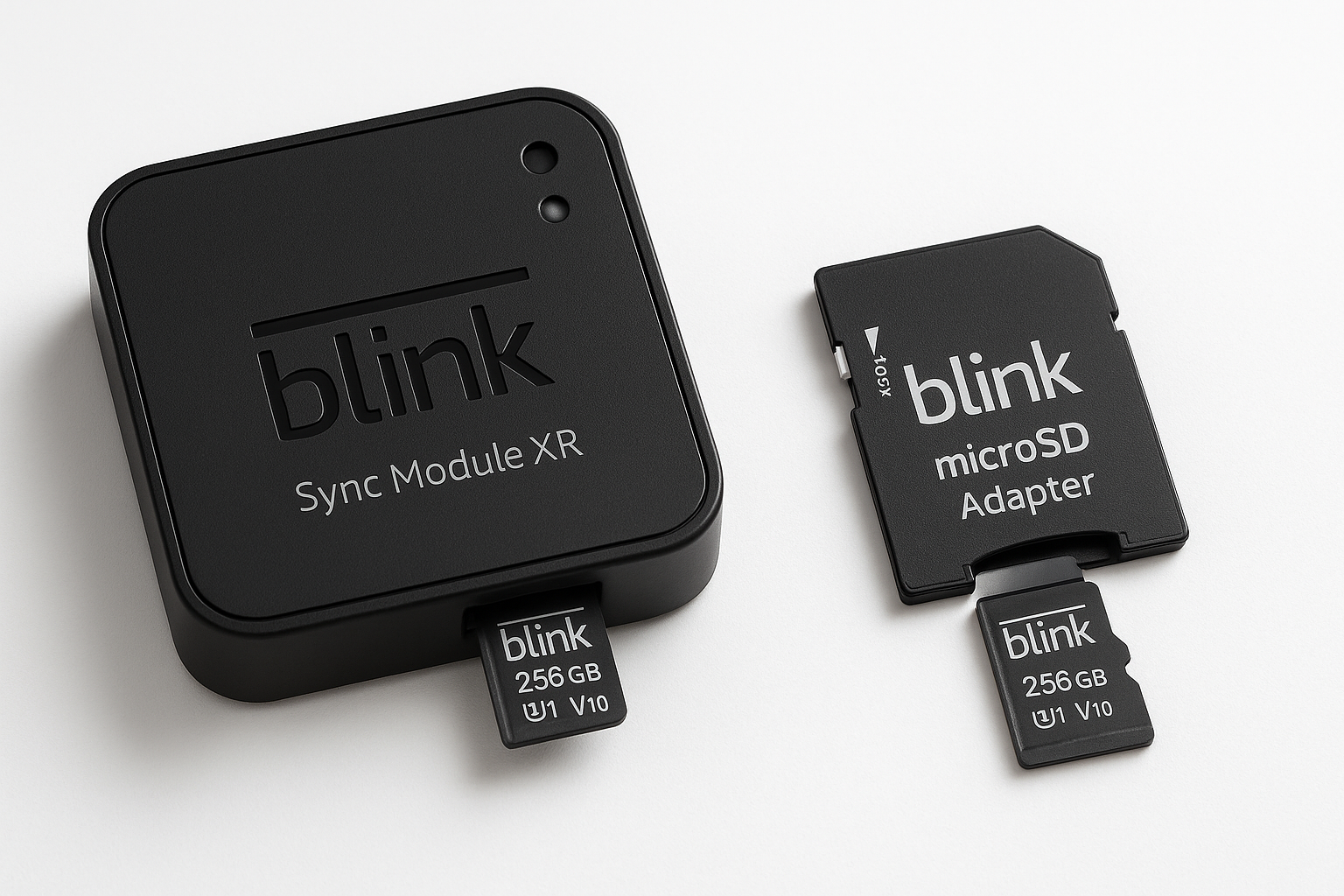
The Blink MicroSD card for local video storage with Blink Sync Module XR is an official storage option for Blink users who want to keep motion clips and backups on‑site instead of relying solely on the cloud. Paired with the Sync Module XR, this microSD card allows compatible Blink cameras to record clips directly to removable storage, giving homeowners greater control over their data and helping reduce or avoid subscription costs.
You can typically find this accessory around $29.99, which positions it as a mid‑range but convenient storage upgrade for existing Blink systems.
Key Highlights
- Designed specifically for Blink Sync Module XR for hassle‑free recognition and formatting.
- Local video storage for compatible Blink cameras, enabling recording without a paid subscription in many setups.
- Compact microSD form factor that fits inside the Sync Module XR instead of using an external USB drive.
- Removable storage medium for accessing clips on a computer when needed.
- Supports extended coverage setups where Outdoor 4 XR cameras operate far from the main router, while the Sync Module XR handles local storage.
Core Features
1. Native Integration with Sync Module XR
Because this card is designed to work with the Blink Sync Module XR, installation and recognition are typically straightforward:
- Insert the microSD card into the Sync Module XR slot.
- Use the Blink app to recognize and, if needed, format the card.
- Configure local storage options for compatible cameras.
The native pairing reduces compatibility guessing that can come with third‑party cards, which is important when you want a "set it and forget it" security solution.
2. Local Video Storage
When configured correctly, the Sync Module XR can save motion clips directly to the microSD card instead of (or in addition to) Blink cloud storage. This offers several advantages:
- Reduced reliance on subscriptions: Many users can store clips locally without an ongoing monthly plan, depending on their system configuration.
- On‑premise control of footage: Video is stored in your home on removable media.
- Backup in case of temporary cloud or app issues: Local storage can serve as a secondary record of motion events.
3. Capacity and Overwrite Behavior
While exact capacity details may vary by specific card variant, the Sync Module XR and Blink ecosystem are typically optimized around microSD cards up to 256 GB. Once the card reaches full capacity, the Sync Module XR is designed to automatically delete the oldest clips to free space for new recordings, helping keep storage maintenance low.
4. Removable and Portable
Because recordings are stored on a microSD card inside the Sync Module XR, you can:
- Power down the module safely.
- Remove the card and insert it into a card reader or compatible device.
- Copy or archive important clips to a computer or NAS.
This is particularly useful for users who want long‑term archives beyond what the Blink app might practically hold.
Usage Experience
Setup Process
For most Blink owners already using a Sync Module XR, adding this card is straightforward:
- Power down or safely remove power from the Sync Module XR.
- Insert the Blink MicroSD card into the dedicated slot until it is properly seated.
- Restore power and wait for the Sync Module XR to come online.
- Open the Blink app, navigate to the Sync Module XR settings, and confirm that the card is recognized.
- Format the card from within the app, if prompted, and verify that local storage is enabled.
This process usually takes only a few minutes, and once completed, compatible cameras can begin saving clips locally.
Daily Reliability
In typical home setups, the Blink MicroSD card paired with the Sync Module XR performs reliably once configured correctly:
- Clips are captured when motion events occur and written to the microSD card.
- The app’s storage indicators help you monitor used vs. remaining capacity.
- When storage fills, the system automatically removes older clips to keep recording new events.
Some users report that occasional troubleshooting—such as reseating the card, reformatting from the app, or power‑cycling the Sync Module XR—can be necessary if the card is not detected after firmware updates or configuration changes. However, once stable, the system is generally low maintenance.
Performance Considerations
Because the Sync Module XR communicates with cameras and manages local storage, performance will depend on factors like:
- Number of connected cameras.
- Clip length and recording quality.
- Frequency of motion events.
- Wi‑Fi signal strength and environmental interference.
Under moderate use (for example, a few cameras with typical motion activity), the official Blink MicroSD card should provide ample performance for responsive clip access and reliable recording.
Strengths
- Optimized for Blink Sync Module XR: Reduces the risk of compatibility issues compared to random third‑party cards.
- Enables subscription‑free local storage in many setups, which can lower long‑term costs.
- Automatic management of full storage by overwriting older clips, reducing manual housekeeping.
- Discrete installation: The microSD card is hidden within the Sync Module XR, with no external USB drive hanging off the unit.
- Removable media: Easy to back up or migrate recordings by taking the card to a PC or dedicated reader.
Weaknesses
- Limited to Sync Module XR: The card’s core value is tied specifically to owners of the XR module; it does not add functionality by itself.
- Local storage still requires proper configuration: Some users may find the process of enabling local storage and verifying camera compatibility slightly technical.
- Potential troubleshooting: If the XR module or firmware encounters issues, the card may need reformatting or reseating, and some users have noted that local storage can stop working until corrected.
- Not a total replacement for cloud features: Advanced features associated with Blink subscription plans (like certain clip sharing or expanded cloud retention) still require a paid plan.
Suitable Scenarios
The Blink MicroSD card for Sync Module XR is particularly well‑suited for:
-
Users who prioritize local control of footage
- Homeowners who prefer not to rely entirely on cloud storage.
- Users with privacy concerns who want recordings stored at home.
-
Cost‑conscious users seeking to minimize subscriptions
- Households that want motion‑based recording without paying recurring fees.
- Secondary properties or garages where a simple local‑only setup is sufficient.
-
Locations with spotty or unreliable internet
- Rural homes or areas that experience frequent internet outages.
- Environments where cameras remain powered, but connections to Blink servers may drop intermittently.
-
Owners of Blink Outdoor 4 XR and other compatible Blink cameras
- Those already committed to the Blink ecosystem and using Sync Module XR for extended range.
If you do not own a Sync Module XR—or do not plan to use local storage—this specific Blink‑branded card provides less unique value, and a general‑purpose microSD card might suffice, depending on Blink’s compatibility guidance.
Final Evaluation
The Blink MicroSD card for local video storage with Blink Sync Module XR is a focused accessory that enhances the value of the Sync Module XR by unlocking a convenient, integrated local storage path. It is not a universal solution—its usefulness is tightly linked to owning and correctly configuring a Sync Module XR with compatible Blink cameras—but within that context, it delivers on its promise of simple, on‑premise video storage.
At around $29.99, it makes sense for Blink users who:
- Want to reduce reliance on cloud subscriptions.
- Prefer to keep copies of footage at home.
- Already own, or plan to own, a Sync Module XR.
For those heavily invested in the Blink ecosystem and particularly in extended‑range layouts powered by Sync Module XR, this microSD card is a practical and often worthwhile addition that rounds out a flexible, locally‑capable security setup.