
Made for Amazon Stylus Pen for Fire Max 11 & Fire HD 10 (13th Gen) Review
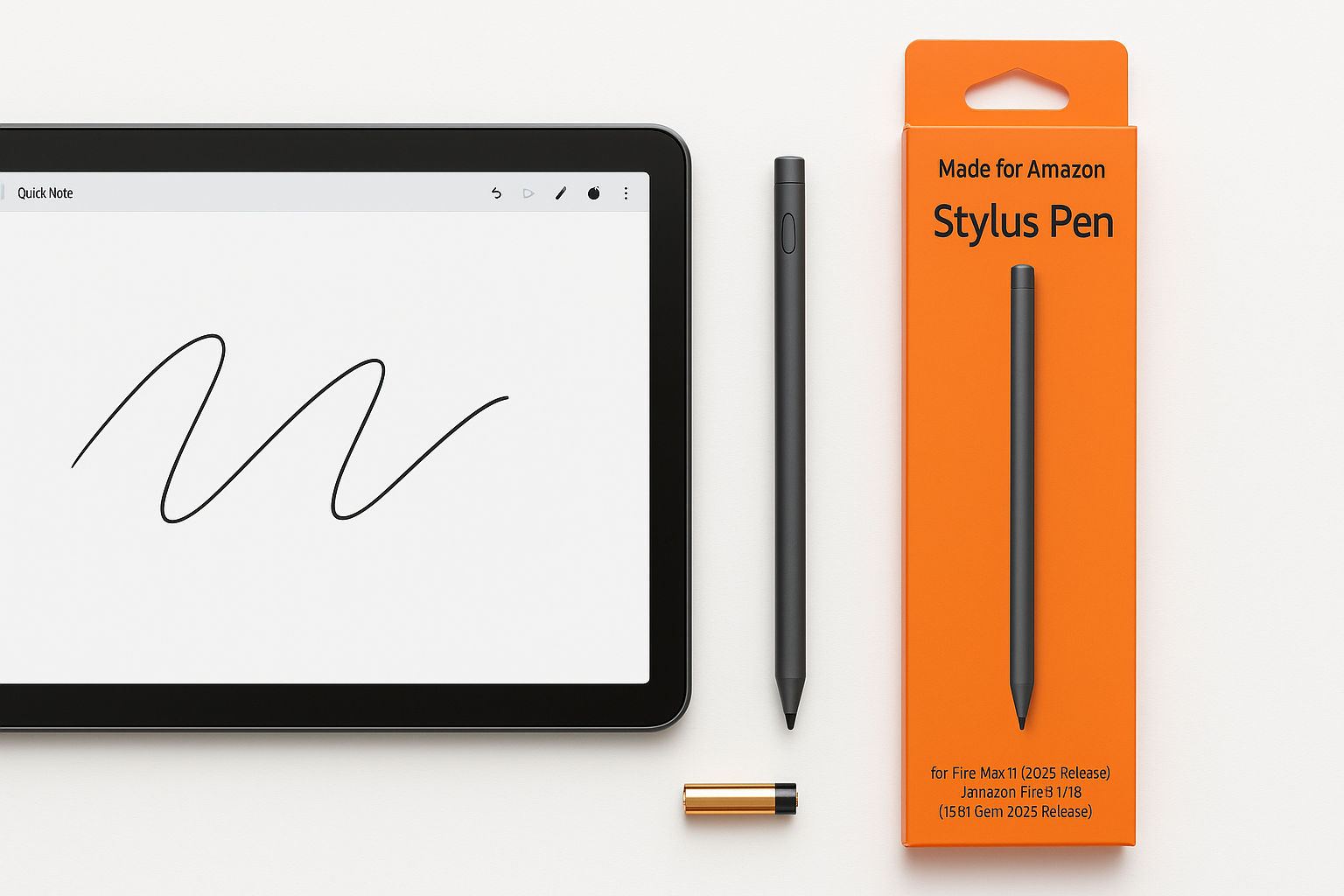
What This Product Is
The Made for Amazon Stylus Pen for Fire Max 11 (2023 Release) & Amazon Fire HD 10 (13th Gen, 2023 release) Tablets is an active digital pen designed specifically for Amazon’s two 2023 tablets that support stylus input:
- Amazon Fire Max 11 (2023)
- Amazon Fire HD 10, 13th Gen (2023)
It uses the USI 2.0 (Universal Stylus Initiative) standard, which enables pressure sensitivity and more precise tracking than a basic capacitive stylus. The pen is battery‑powered (no charging cable), and setup is as simple as inserting the included battery and starting to write—no Bluetooth pairing or app installation required. (bestbuy.com)
This stylus targets everyday Fire tablet users who want to move beyond simple touch input and unlock more capable note‑taking, sketching, and document‑markup workflows.
Note: Pricing varies by retailer and promotions. On Amazon, it’s typically positioned as an affordable, mid‑range active pen around $29.99.
Why It Matters
The 2023 Fire Max 11 and Fire HD 10 (13th Gen) stand out in Amazon’s lineup because they add proper active stylus support. Earlier Fire tablets generally relied on generic capacitive pens, which lack pressure sensitivity and fine control. (en.wikipedia.org)
For these newer models, this Made for Amazon stylus matters because it:
- Unlocks handwriting and drawing in supported apps with much better precision than a finger.
- Improves productivity for students and professionals who annotate PDFs, mark up documents, or jot quick notes.
- Takes advantage of USI 2.0 so the same pen technology can also work on other USI‑compatible devices, giving it more longevity if you later move to another USI tablet or Chromebook. (bestbuy.com)
If you bought a Fire Max 11 or Fire HD 10 (13th Gen) specifically for note‑taking, this stylus is essentially the accessory that completes the experience.
Key Advantages
1. Native Compatibility With Fire Max 11 and Fire HD 10 (13th Gen)
This stylus is explicitly designed and certified for Amazon’s 2023 stylus‑enabled tablets, which reduces the guesswork compared to third‑party pens. It’s marketed as a “Made for Amazon” accessory and supports both Fire Max 11 and Fire HD 10 (13th Gen) out of the box. (bestbuy.com)
In practice, that means:
- No driver or firmware hassles
- Consistent behavior in Amazon’s own apps
- Clear compatibility guidance if you ever need support
2. Simple, Friction‑Free Setup
The pen is battery‑powered (standard AAAA or similar) and does not require Bluetooth pairing:
- Insert the included battery.
- Tap the screen on a compatible Fire tablet.
- Start writing.
This avoids the common Bluetooth issues (random disconnects, needing to re‑pair after updates, etc.) and makes it suitable for kids or shared‑device households.
3. USI 2.0 Active Stylus Features
Because it uses USI 2.0, the stylus can support:
- Pressure sensitivity for line weight variation in drawing and handwriting
- Palm rejection when the tablet and app support it, so you can rest your hand on the screen
- Low‑latency tracking that feels more natural than passive capacitive pens (bestbuy.com)
For note‑taking and casual sketching, these features are a substantial upgrade over generic rubber‑tip styluses.
4. Good Fit for Note‑Taking and PDF Markup
User and retailer descriptions consistently position this stylus for:
- Taking notes in apps like the built‑in notebook tools or third‑party apps available through Amazon’s store
- Annotating PDFs and documents, including highlighting, circling, and handwriting comments
- Light drawing and coloring for hobbyist artists and kids (bestbuy.com)
If your primary needs are meeting notes, lecture notes, or editing documents on the go, this pen feels purpose‑built.
5. Reasonable Value in the Fire Ecosystem
Within the context of Fire accessories, the pen usually lands in a mid‑range price bracket. It’s an affordable way to significantly expand what your Fire Max 11 or Fire HD 10 (13th Gen) can do, especially compared with buying an entirely different tablet just for stylus support.
When you factor in that the stylus is officially supported and uses an open standard (USI 2.0), the value proposition is solid at around $29.99.
Key Limitations
1. Limited Device Compatibility
This is a narrowly targeted accessory. Officially, it’s only supported on:
- Fire Max 11 (2023)
- Fire HD 10 (13th Gen, 2023)
It will not add active stylus support to older Fire HD 10 models or smaller Fire tablets that lack USI hardware. If you have a pre‑2023 Fire, this pen will not transform it into a note‑taking device. (en.wikipedia.org)
2. Battery‑Powered Instead of Rechargeable
The stylus relies on a disposable internal battery. While this makes it easy to grab and go without worrying about charge levels, it also means:
- Ongoing cost and effort to replace batteries
- Environmental impact vs. a rechargeable stylus
Heavy users (daily note‑takers, students) may prefer an integrated rechargeable pen, though that’s not currently how this accessory is designed.
3. Mixed Reports on Latency and Line Quality
Community feedback highlights mostly positive experiences with responsiveness, but there are also scattered reports of:
- Noticeable lag in certain apps (especially heavier note‑taking apps or when many layers/elements are on screen)
- Occasional line straightening or jitter, where curves may look more angular than expected in some drawing scenarios (reddit.com)
For basic notes and casual doodling, this is usually acceptable. For serious digital artists who need extremely smooth strokes and near‑zero latency, a dedicated drawing tablet or higher‑end stylus system (e.g., iPad + Apple Pencil) will still be superior.
4. Fire OS App Ecosystem Limitations
The hardware is only part of the story. Because this stylus lives inside the Amazon Fire OS ecosystem, you’re limited to the apps available via Amazon’s store or those you’re comfortable sideloading.
Compared with iPadOS or full Android tablets, there may be:
- Fewer pro‑grade drawing and note‑taking apps
- Slower updates or feature parity on some third‑party tools
If you already accept Fire OS limitations, this may not bother you—but if you’re expecting the depth of stylus apps available on an iPad, there will be a gap.
Who It’s For
You’ll likely appreciate the Made for Amazon Stylus Pen if you:
- Own a Fire Max 11 or Fire HD 10 (13th Gen) and want to move beyond finger input.
- Take a lot of notes for school, work, or personal organization and prefer handwriting to typing.
- Mark up PDFs or documents regularly—contracts, research articles, worksheets, etc.
- Sketch or doodle casually, whether for brainstorming, whiteboarding, or light illustration.
- Share a Fire tablet with kids, who can use the stylus for handwriting practice, coloring apps, and educational games.
Within those use cases, the stylus offers a meaningful improvement in precision and control without demanding a big change in how you use your tablet.
Who Should Skip It
You may want to skip or look for alternatives if:
- You don’t have a Fire Max 11 or Fire HD 10 (13th Gen). Older Fire tablets and non‑USI models won’t benefit from this pen.
- You only browse, stream video, or read books. If you rarely need handwriting, drawing, or annotation, the stylus adds little value.
- You’re a professional artist who needs industry‑standard pressure curves, ultra‑low latency, and wide app support. A dedicated drawing tablet or premium stylus ecosystem (like Wacom, Apple Pencil, Samsung S Pen) will be a better fit.
- You strongly prefer rechargeable accessories and don’t want to manage disposable batteries.
In those situations, the cost—even at around $29.99—may not be justified.
Final Recommendation
The Made for Amazon Stylus Pen for Fire Max 11 & Fire HD 10 (13th Gen) is a thoughtfully targeted accessory that makes Amazon’s latest tablets much more capable for handwriting, sketching, and productivity. Its strengths lie in tight device integration, USI 2.0 support, simple setup, and good everyday performance for notes and PDF markup.
It’s not a pro‑artist tool, and its device compatibility is intentionally narrow, but for Fire Max 11 and Fire HD 10 (13th Gen) owners who want to take real advantage of their tablet’s stylus hardware, this is the most straightforward, hassle‑free option.
If you:
- Already own one of the compatible tablets, and
- Have even a moderate interest in digital note‑taking or document markup,
then this pen is worth adding to your setup, with its value comfortably justifying the typical $29.99 asking price.