
Aurzen Roku TV Smart Projector Review: A Compact 1080p Streaming Projector with Built‑In Roku OS
Product Context
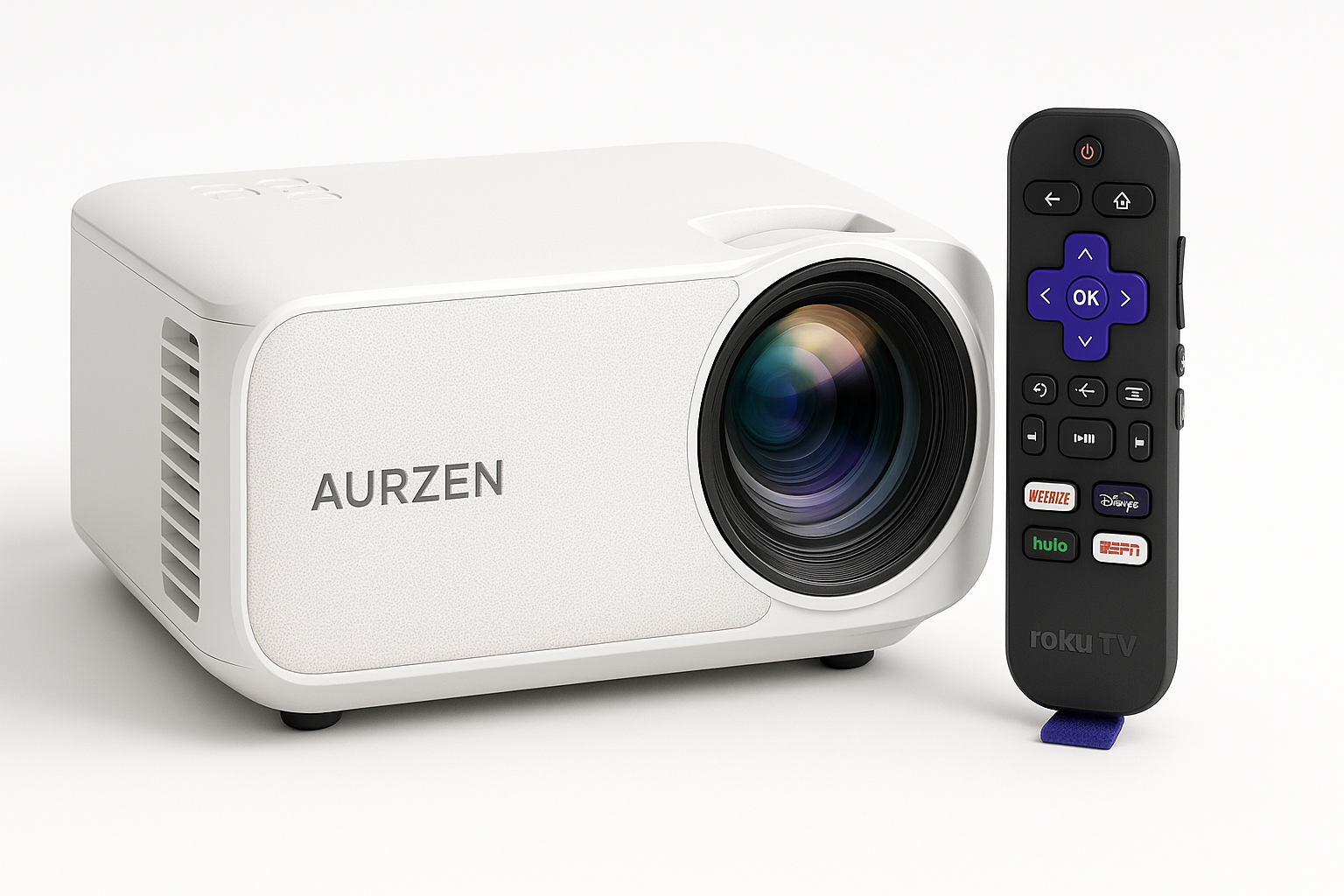
The Aurzen Roku TV Smart Projector with WiFi and Bluetooth is positioned as an all‑in‑one entertainment hub for buyers who want a simple way to stream movies and shows without adding a separate streaming stick. Instead of running Android TV or a proprietary interface, this model uses Roku TV OS, so the projector behaves much like a Roku smart TV, but with projection instead of a flat panel.
In practical terms, this makes the Aurzen a good fit for:
- Apartment dwellers and renters who can’t mount a large TV
- Dorm rooms and shared spaces where portability matters
- Occasional backyard or patio movie nights when it’s dark
- Users already familiar with Roku who want the same interface on a projector
From a price perspective, it competes with other 1080p smart mini projectors and sits well below traditional home theater models, with the Amazon listing typically hovering around $139.99 depending on promotions and stock.
Feature Breakdown
Core Specifications
Based on Aurzen’s documentation and retailer listings, the projector’s core specs include:
- Native Resolution: 1920 x 1080 Full HD (no upscaling from 720p)
- Operating System: Roku TV OS built in (no dongles required)
- Display Technology: Single‑chip LCD with LED light source
- Brightness: Around the 250–300 ANSI lumen class, designed primarily for dark rooms
- Projection Size: Roughly 60" to 200" recommended range
- Zoom: Digital zoom (commonly 60–100%) so you can shrink the image without moving the unit
- Focus: Auto focus plus electronic/manual fine‑tuning
- Keystone Correction: Auto keystone with manual 4‑point or ± vertical adjustment
- Speakers: Dual integrated speakers with Dolby Audio processing
- Wireless: Dual‑band Wi‑Fi and Bluetooth (for headphones or speakers)
- Smart Integration: Works with Roku’s streaming platform, including access to major apps and free channels
Streaming & Smart Features
The main differentiator is the Roku TV experience built directly into the projector. That means:
- A familiar Roku home screen with tiles for apps and inputs
- Access to popular services like Netflix, Disney+, Hulu, Prime Video, YouTube, and many others (app availability can vary by region and over time)
- Hundreds of free ad‑supported channels and live TV options via The Roku Channel
- Regular Roku OS updates and a mature app ecosystem
Because Roku is integrated, you don’t have to occupy an HDMI port with a streaming stick, and control is unified through a single remote. For households already using Roku TVs or streaming players, there’s almost zero learning curve.
Connectivity
Physical and wireless connectivity are tailored for casual home use rather than complex AV setups:
- HDMI for consoles, Blu‑ray players, or laptops
- USB for media playback or powering small devices
- 3.5 mm audio output to feed external speakers or soundbars
- Wi‑Fi for streaming and screen casting
- Bluetooth to pair wireless headphones or external speakers
This makes it easy to add better sound later or to keep the room quiet by pairing Bluetooth headphones for late‑night viewing.
Performance Insights
Image Quality
For its class and price, the Aurzen Roku TV Smart Projector delivers a respectable 1080p image:
- Sharpness: Native 1080p resolution means menus and subtitles are crisp when focus is correctly set. Small text in streaming interfaces remains readable at typical seating distances.
- Color: Colors are generally saturated and pleasing for movies and TV shows, though, as with most budget LCD projectors, color accuracy is tuned more for punch than strict reference.
- Contrast: Contrast is moderate; dark scenes look best in very dim or fully dark rooms. Shadow detail is acceptable for casual viewing but won’t match higher‑end DLP or laser projectors.
- Motion: For sports and fast‑moving content, motion handling is in line with typical 60 Hz LCD projectors. There’s no advanced motion interpolation, but blur is manageable.
The LED light source should offer thousands of hours of use with virtually no maintenance beyond cleaning vents and keeping dust away from the intake, which is an advantage over older lamp‑based designs.
Brightness & Viewing Environment
While exact ANSI lumen ratings can vary between marketing and real‑world measurements, this projector sits firmly in the entry‑level brightness category.
What that means in practice:
- It looks best in a darkened room—think evening movie sessions with lights off.
- With moderate ambient light (open blinds or bright lamps), the image will wash out, especially darker scenes.
- For outdoor use, you’ll want to start projection after sunset and avoid direct light on the screen.
If you plan to use it frequently in bright living rooms during the day, a brighter projector or a TV will be a better fit. This unit is optimized for cinema‑style conditions.
Audio Performance
The integrated speakers with Dolby Audio are a step up from the most basic mini projectors:
- Dialogue clarity is generally good at moderate volumes.
- Dolby processing helps widen the soundstage and give movies a bit more impact.
- Bass is limited by the physical size of the enclosure, so explosions and soundtracks won’t have deep low‑end.
For casual bedroom or dorm use, the built‑in speakers are adequate. For a more cinematic experience, especially in larger rooms or outdoors, pairing a Bluetooth speaker or a small soundbar via the audio output is recommended.
Usability
Setup and Placement
The combination of auto focus and auto keystone correction is designed to make setup straightforward:
- Place the projector on a table or tripod facing your wall or screen.
- Power it on; the lens automatically focuses and the keystone system adjusts the image shape.
- Fine‑tune focus and keystone from the on‑screen menu if needed.
- Use digital zoom to slightly reduce image size if the projector is too close and you can’t move it back.
This is especially helpful for users who don’t want to fuss with manual dials each time they move the projector to a new room.
Roku Interface & Remote
Roku’s interface is one of the most user‑friendly among streaming platforms:
- Simple, tile‑based layout for apps and inputs
- Universal search across many streaming services
- Personalized home screen and profiles
Because the Roku OS is built‑in, there’s no juggling multiple remotes—one remote handles both projector controls (power, volume, input selection) and Roku navigation.
Portability & Everyday Use
The Aurzen Roku TV Smart Projector is marketed as a portable outdoor mini projector, and its size and weight are suited to being moved between rooms or taken to a friend’s house or backyard:
- Small footprint compared to traditional home theater units
- Easy to store when not in use
- Works with foldable tripod stands or small side tables
However, keep in mind that “portable” here means
- It still needs a power outlet (it’s not battery‑powered), and
- Light output is tuned for dark viewing conditions.
For many users, it offers a good compromise between portability and image size.
Trade‑offs
Like any budget‑friendly smart projector, the Aurzen Roku TV Smart Projector involves several compromises you should weigh against your needs.
Strengths
- True 1080p resolution for sharp streaming and text
- Roku TV OS built in—no separate streamer or extra remote needed
- Auto focus and auto keystone reduce setup friction, especially if you move it often
- Integrated Wi‑Fi and Bluetooth for wireless streaming and audio
- Dolby Audio‑enabled speakers that are adequate for small and medium rooms
- Compact, portable design suitable for dorms, small apartments, and casual outdoor use
- Compelling feature set for the cost level indicated by $139.99
Limitations
- Brightness is modest, making it best for dark rooms and nighttime viewing
- Contrast and black levels are only average, so serious home theater enthusiasts may find it limited
- Built‑in speakers lack deep bass, and large rooms benefit from external audio
- Digital zoom and keystone can slightly reduce effective resolution if used aggressively
- As with many smart projectors, long‑term app support depends on the platform and firmware updates; Roku has a good track record, but app availability and features can change over time
When It’s a Good Fit
You’re likely to be satisfied if:
- You primarily watch at night or in darker rooms
- You want an easy, all‑in‑one Roku streaming experience without extra boxes
- You value auto focus and auto keystone for quick setup in multiple locations
- You’re building a starter home theater, dorm room setup, or occasional backyard screen for movie nights
When to Consider Alternatives
You may want to look higher up the ladder if:
- You need very bright daytime viewing in a living room with lots of windows
- You’re an enthusiast who prioritizes high contrast, HDR, and color accuracy
- You already own a high‑quality streaming device and care more about raw projection performance than integrated smart features
Conclusion
The Aurzen Roku TV Smart Projector with WiFi and Bluetooth is a thoughtfully designed 1080p mini projector that leans heavily into convenience. By integrating Roku TV OS, auto focus, auto keystone, and wireless connectivity, it lowers the barrier to entry for big‑screen viewing at home or in the backyard.
Its strengths are simplicity, portability, and a familiar streaming interface at an accessible cost level around $139.99, rather than reference‑grade picture or room‑filling sound. If your priority is a plug‑and‑play projector that behaves like a Roku TV, and you’re planning to use it mainly in dim or dark environments, the Aurzen Roku TV Smart Projector is a compelling option to consider.