
Plaud Note Pro AI Voice Recorder Review: Pocket‑Size AI Note‑Taking for Meetings and Calls
Overview
The Plaud Note Pro AI Voice Recorder (ASIN: B0FYQ4Y2ZZ) is a dedicated hardware note‑taking companion aimed at people who spend a lot of time in meetings, calls, and lectures. Instead of juggling recording apps and cloud services on your phone or laptop, Plaud Note Pro combines:
- A slim, credit‑card‑style recorder with microphones and an InstantView screen
- AI transcription and summarization via a companion app
- Support for 112 languages, making it suitable for international teams and multilingual environments
It is designed for users who want reliable capture and AI‑generated notes without relying entirely on a smartphone microphone or web‑only tools. On Amazon ($189.00), it positions itself as a mid‑range specialist device versus general‑purpose recorders and software‑only solutions.
Key Highlights
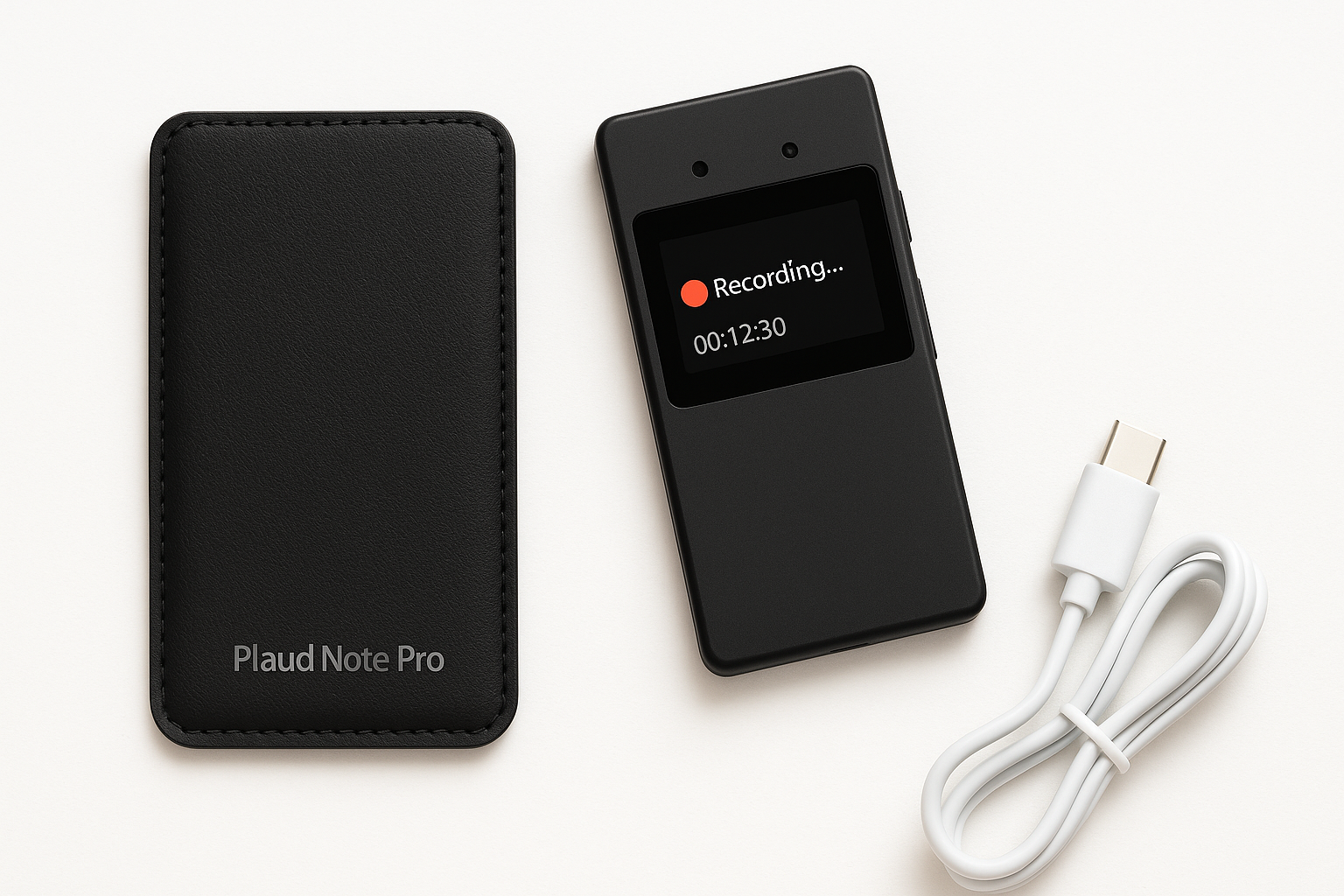
- Ultra‑slim hardware recorder with an InstantView display and included protective case
- AI‑powered transcription and summaries for meetings, calls, interviews, and lectures
- Supports 112 languages, including major business and academic languages
- App‑controlled workflows for starting, managing, and reviewing recordings
- Designed to work with both in‑person conversations and phone/online calls
- Focus on productivity: turning long recordings into structured notes and action points
Core Features
1. Hardware and Design
- Form factor: The Plaud Note Pro is notably ultra‑slim, closer in feel to a compact card‑style gadget than a bulky dictaphone. That makes it easy to slip into a shirt pocket, notebook sleeve, or laptop bag without adding weight.
- InstantView display: A small front display shows key information like recording status and basic controls, so you can confirm at a glance that capture is in progress.
- Included case: The packaged protective case improves durability when you carry it alongside keys, pens, or other gear.
- Discreet presence: Its understated black finish is appropriate for meeting rooms, interviews, and lecture halls where you don’t want a distracting device on the table.
2. Recording Capabilities
- Optimized for voice: The Plaud Note Pro is tuned for speech capture—meetings, interviews, lectures, and calls—rather than music. Microphone placement and processing prioritize spoken clarity.
- Meeting and lecture use: Placed on a desk or podium, it can capture multiple speakers in a small to mid‑sized room. Best results come when it is reasonably close to the main speaker.
- Call recording support: When paired correctly (e.g., via the app or supported call workflows), it is meant to capture phone and online calls, which is a major differentiator vs. simple handheld recorders.
- On‑device controls: Physical controls and the InstantView display give quick access to start/stop and basic settings without unlocking a phone.
Legal reminder: Call and meeting recording laws vary by region. Always obtain consent from participants before recording conversations.
3. AI Transcription and Summarization
- Automatic transcription: After recording, audio is sent via the app to the AI engine, which produces verbatim or near‑verbatim transcripts.
- Summaries and highlights: Beyond raw text, the AI can generate structured summaries, key points, and potentially action items or decisions, depending on the app’s available templates.
- Language coverage: With support for 112 languages, it’s suitable for global teams and bilingual environments. You can typically select the language in the app for better accuracy.
- Searchable archive: Once transcribed, recordings become searchable text. That makes it easier to revisit details from past meetings, interviews, or classes.
4. App Integration and Control
- Companion app control: The Plaud Note Pro is designed to be tightly integrated with a smartphone app, which you use to:
- Configure recording preferences
- Manage files and upload to the cloud
- Trigger transcription and summarization
- Browse and search past notes
- Cloud‑assisted processing: The AI features typically rely on an internet connection. Audio can be captured offline, but advanced AI processing requires the device to sync with the app.
5. Battery and Storage (Conceptual)
While exact capacities are not emphasized, the device is built for multi‑meeting days rather than only brief memos:
- Expect it to handle multiple sessions per charge, especially if you’re mainly using it for audio capture and occasional screen checks.
- Storage is sized for numerous recordings; the real bottleneck is often how quickly you offload them into the app for transcription and organization.
Usage Experience
Setup and First Use
Out of the box, you:
- Charge the Plaud Note Pro with the included cable.
- Install the companion app on your smartphone.
- Pair the recorder following the on‑screen instructions.
- Configure language and basic recording preferences.
The learning curve is moderate: anyone comfortable with smartphones should be able to get up and running quickly, but there is more to learn than with a basic dictaphone due to the AI workflows.
Day‑to‑Day in Meetings
In a typical workday, the experience looks like this:
- You drop the Plaud Note Pro on the table before a meeting and tap to record.
- The InstantView screen provides assurance that audio is being captured.
- After the meeting, the recording syncs to your phone and is queued for transcription.
- The app then delivers a transcript plus AI‑generated summary, which you can review, edit, and share.
This workflow significantly reduces the time spent writing minutes or re‑listening to long recordings, especially for recurring or information‑dense meetings.
For Calls and Remote Sessions
When properly integrated with your calling workflow (for example, with supported interfaces for phone calls or conferencing apps), Plaud Note Pro can capture audio from both sides of the conversation.
This is particularly valuable for:
- Client calls and consultations
- User research interviews
- Support or sales calls
However, call recording setups can be more complex than simple room capture, and users should be prepared to spend a bit of time reading the setup guidance.
Transcription Quality
Transcription quality depends on:
- Microphone placement and environmental noise
- Language and accent
- Whether speakers talk over one another
In typical office or classroom conditions, you can expect clear, mostly accurate transcripts suitable for reviewing content, with occasional errors on names, jargon, and heavy accents. Summaries are usually good enough to reconstruct decisions and main ideas without revisiting the raw audio every time.
Strengths
-
Hardware + AI combination
Having a dedicated recorder removes dependency on your phone’s microphone, notifications, or battery, while still letting you use the app for AI processing. -
Ultra‑slim, discreet design
Easy to carry, professional looking, and less intrusive than a phone lying face‑up recording the room. -
InstantView display
Provides immediate visual confirmation that recording is live, reducing the risk of missed sessions. -
Multi‑language support (112 languages)
Excellent for global teams, multilingual workshops, conferences, or language learning. -
AI summaries save time
Summarization and key‑point extraction help transform long discussions into actionable notes quickly. -
Case included
The included protective case is practical for users who carry the device daily.
Weaknesses
-
App and cloud dependency
The strongest features—AI transcription and summarization—require pairing with the app and an internet connection. Offline, it behaves more like a traditional recorder. -
Learning curve vs. basic recorders
Users who just want simple audio capture may find the AI workflows more complex than necessary. -
Potential subscription or usage limits
As with many AI‑based services, there may be limits (such as monthly transcription allotments or paid tiers) depending on the service model. Buyers should verify the current terms on the product page. -
Not optimized for music or field recording
This is primarily a speech and productivity tool. Musicians, filmmakers, or field recordists may want more specialized audio gear. -
Call recording setup can be nuanced
Ensuring that both sides of a call are captured clearly and legally can take extra configuration and user diligence.
Suitable Scenarios
The Plaud Note Pro is best suited for:
- Business professionals: project managers, consultants, product managers, and team leads who run many meetings and need fast, accurate notes.
- Students and researchers: for recording lectures, seminars, and qualitative interviews, then using transcripts for study or analysis.
- Journalists and content creators: for interviews, podcasts planning sessions, or panel discussions where having a searchable transcript is valuable.
- Remote workers: those who spend much of their week in virtual meetings and want a consistent way to capture and summarize calls.
- Multilingual teams: where discussions may switch between languages or involve participants speaking different native tongues.
It is less ideal for:
- Users who only occasionally need a recorder and are satisfied with a basic smartphone app.
- Audio professionals prioritizing raw sound quality over note‑taking efficiency.
Final Evaluation
The Plaud Note Pro AI Voice Recorder targets a clear problem: how to turn dense meetings, calls, and lectures into usable notes with minimal manual effort. Its combination of a dedicated, ultra‑slim hardware recorder and AI‑driven transcription and summarization makes it considerably more capable than a simple voice memo app, especially for users who record frequently and in varied environments.
Its main advantages lie in convenience, reliability, and productivity rather than in raw audio fidelity or advanced audio engineering. The need for app and cloud connectivity for full AI functionality, and the likelihood of some form of usage limitations, are important considerations.
For professionals, students, and researchers who routinely capture spoken content and then spend time distilling it into action items or reports, the Plaud Note Pro offers a compelling workflow. At around $189.00 on Amazon, it positions itself as a specialized productivity tool: more expensive than basic dictaphones, but potentially time‑saving enough to justify the investment for heavy note‑takers.